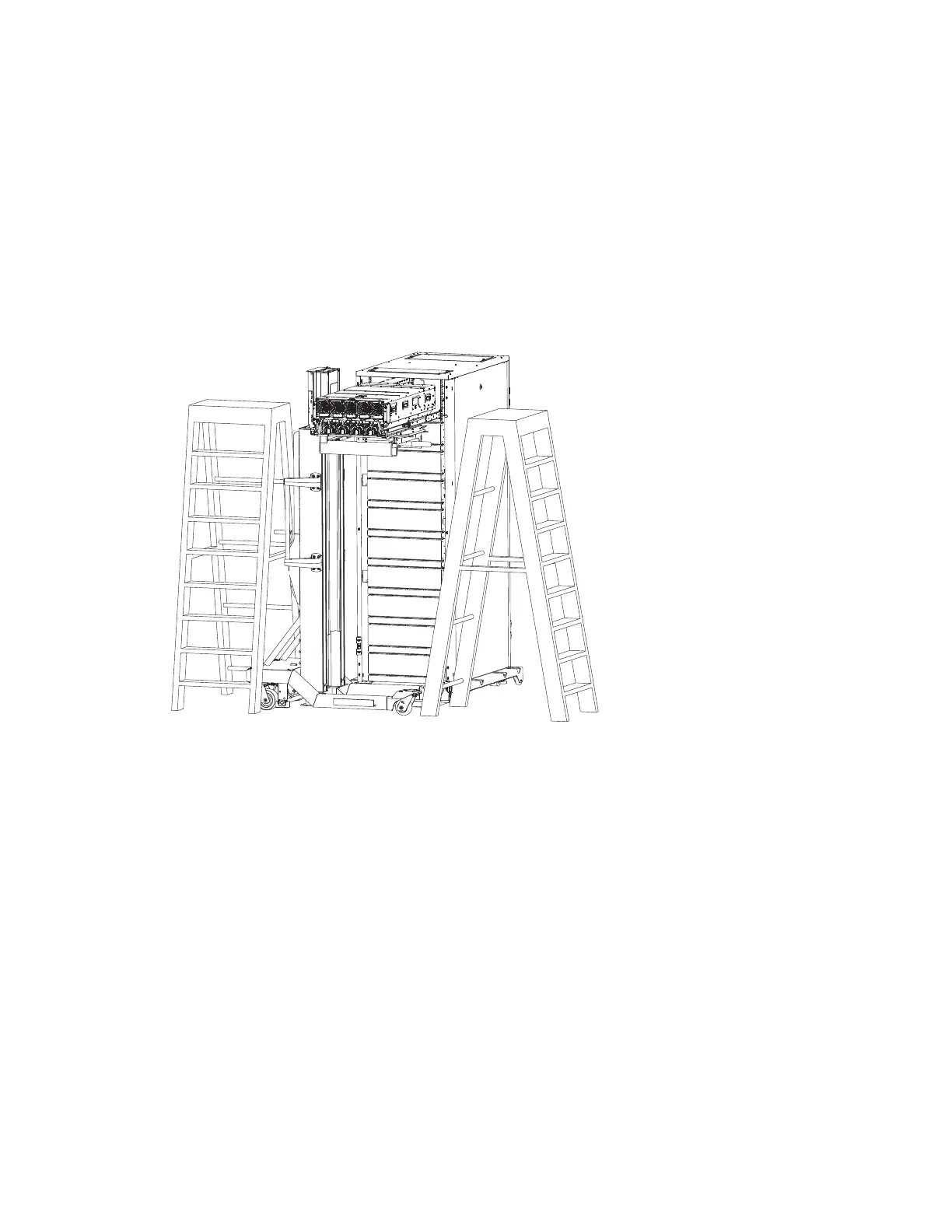
Note: Watch the slide rails when moving the ServerLIFT or raising the platform to prevent
damage to the extended rails.
l. Work with the ServerLIFT winch (up/down) handle and the tilt table angle to lower the chassis to
first engage the rear guide pins with the slide rails.
m. Check slot-pin engagement on both sides, and reseat if necessary.
n. Verify the rear pins are properly seated, then continue lowering the platform until the middle
guide pins drop into the middle slide rail slots.
o. Continue lowering the platform until the front guide pins are engaged with the front slide rail
slots.
p. Verify all six guide pins are seated properly in their mounting slots.
13. Set system in operating position
a. Lower the lift tool slightly so that the tilt table is not contacting the system node.
b. Slide the front lip of the cover under the chassis edge
c. Align and place the cover onto the system node and press the tab in the direction shown until it
snaps into place.
Install SCM 29



 To Next Page