52
STEP 54:
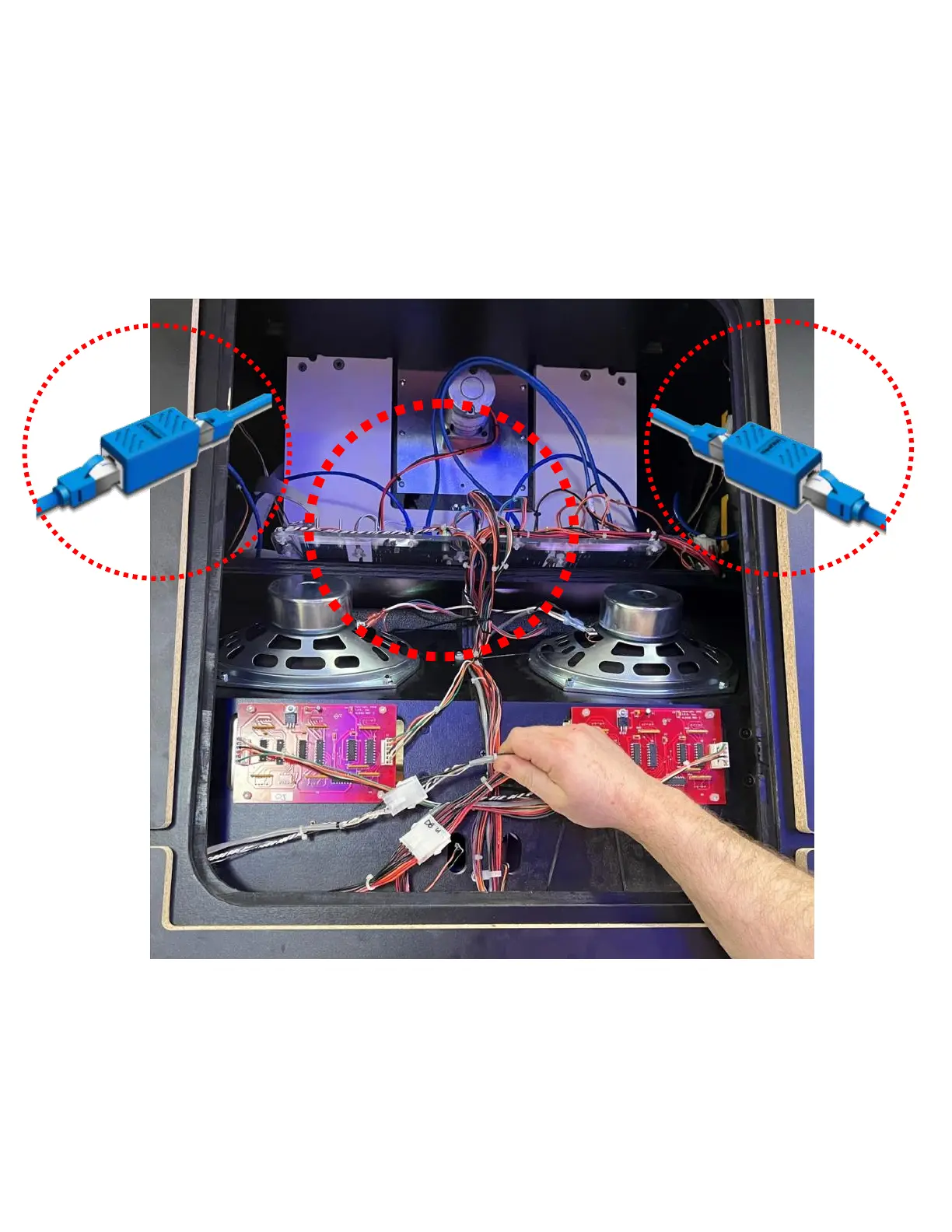
Remove the upper center panel. From the back of the cabinet, the network cable on the left side
comes from the middle tower on the left. The right side comes from the middle tower on the right.
Both at the top. From the front of the cabinet you can reach in and route the cables up into the
jumbotron assembly. The other two data harness comes from the left middle tower. This harness
can be pushed up through the front of the cabinet. If you are unable to locate these cables, remove
the tower covers for easier access.



 To Next Page