EasyManua.ls Logo

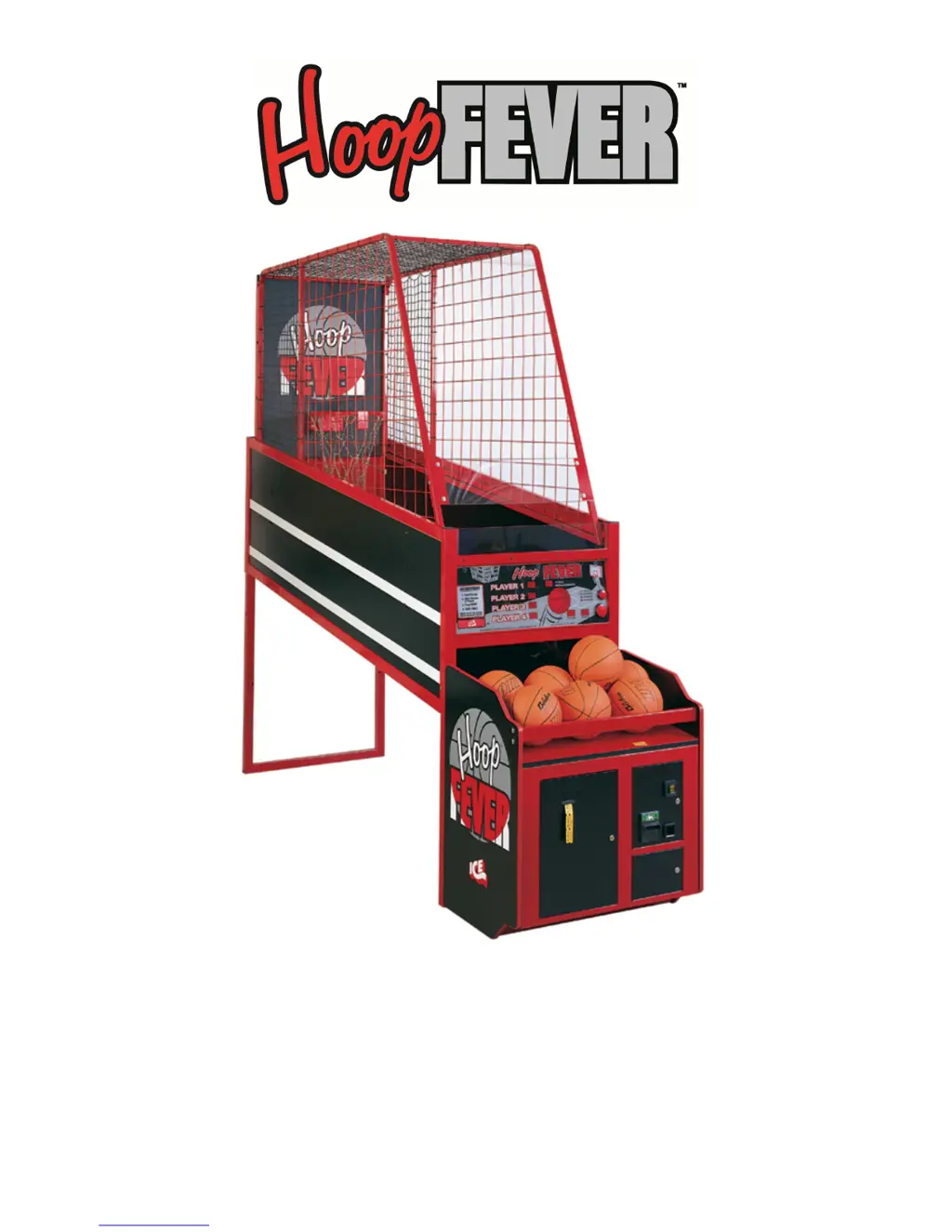
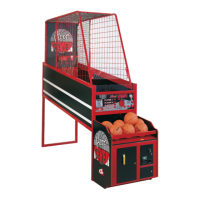
Icegame Hoop Fever - User Manual

Icegame Hoop Fever
22 pages
Print Icon
To Next Page IconTo Next Page
Loading...
1
OWNERS AND SERVICE MANUAL
INNOVATIVE CONCEPTS IN ENTERTAINMENT INC.
10123 MAIN STREET, CLARENCE, NY 14031
SERVICE: 1-716-759-0360
FAX: 1-716-759-0884
E-MAIL: service@icegame.com
WEBSITE: www.icegame.com

Questions and Answers

  • M
    Monica GuerraAug 17, 2025
    What to do if Icegame Game does not dispense tickets correctly?
    • H
      Haley EspinozaAug 17, 2025
      If the Icegame Game is not dispensing tickets correctly, try the following: replace the ticket dispenser, check with a voltmeter, add tickets, clean the sensor on the dispenser, remove any ticket jams, reset the programming, or replace the main PC board.
  • V
    vargaskristinAug 19, 2025
    Why pushbuttons do not light or work properly on Icegame Game?
    • S
      Sherri StewartAug 19, 2025
      To fix the issue where pushbuttons on the Icegame Game do not light up or work properly, you can try the following: change the light bulb, replace the microswitch, check with a voltmeter, check all fuses, replace the main PC board, or remove and clean the button.
  • M
    Matthew RichardsonAug 22, 2025
    What to do if Icegame Game does not take or add money correctly?
    • L
      lorisinghAug 22, 2025
      If the Icegame Game does not take or add money correctly, you can try the following: replace the main PC board, replace the switch or DBV, check with a voltmeter, or reset the game programming.
  • H
    Heidi ValentineAug 25, 2025
    How to fix no spotlight on Icegame Game?
    • P
      Patricia WoodwardAug 26, 2025
      To troubleshoot the 'no spotlight' issue on your Icegame Game, inspect the main fuses, check the power cord, check the breaker box, replace the cord, replace the bulb, or check with a voltmeter.
  • J
    Joseph AdkinsAug 28, 2025
    Why balls do not score correctly in Icegame Game?
    • J
      Julia WilsonAug 28, 2025
      To resolve the issue of balls not scoring correctly on the Icegame Game, you can try the following: replace the sensor, clean the sensor (without using solvents), check with a voltmeter, replace the main PC board, or check the charging circuit or replace the battery.
  • B
    blairsarahAug 30, 2025
    What to do if ball gate will not open or close on Icegame Game?
    • M
      Miguel McintyreAug 30, 2025
      If the ball gate on your Icegame Game will not open or close, you can try the following: check or retighten, check all fuses, check with a voltmeter, repair or replace the PC board, replace the gear box, or re-adjust until the cam touches the microswitch.
  • A
    Anna ChurchSep 2, 2025
    How to fix no or low game sound on Icegame Game?
    • A
      Anna PerezSep 2, 2025
      To address no or low game sound on the Icegame Game, try the following: turn up the volume, replace the pot, replace the speaker, check with a voltmeter, or replace the main PC board.
  • I
    isaac57Sep 5, 2025
    Why alarm goes off frequently on Icegame Game?
    • B
      benjamin16Sep 5, 2025
      If the alarm goes off frequently on the Icegame Game, refer to the ball gate and ball sensors sections. Additionally, consider replacing the main PC board or ensuring there are not too many balls in the game.
  • R
    Ronnie ColonSep 7, 2025
    How to fix display LED’s that do not work properly on Icegame Game?
    • J
      Jason Carter DDSSep 8, 2025
      To fix display LEDs that do not work properly on the Icegame Game, replace the PC board or check all fuses.
  • T
    Timothy BrownSep 12, 2025
    How to fix linked Icegame Games not scoring or working correctly?
    • J
      joseph58Sep 12, 2025
      To address the issue where linked games are not scoring or working correctly on the Icegame Game, change all games to different ID numbers.

Summary

INTRODUCTION

GAME FEATURES

Details the various features of the Hoop Fever basketball game.

GAME PLAY

Explains how to play the Hoop Fever game and scoring rules.

ASSEMBLY

SET-UP

Provides step-by-step instructions for setting up the Hoop Fever game.

CUSTOMIZING YOUR GAME

ENTERING SET-UP MODE

Guide on how to access and navigate the game's set-up mode.

CHANGING GAME SETTINGS

Instructions for modifying game parameters like credits, time, and awards.

BURN IN SELF TEST MODE

Procedure for running a diagnostic test on the game's components.

GAME TESTING

Steps for testing game functionality after installation and setup.

QUICK TROUBLESHOOTING

MAINTENANCE & TROUBLESHOOTING

OPERATIONAL BACKGROUND

Basic operating principles of the Hoop Fever basketball game.

MECHANICAL REPAIR

Guidelines for performing mechanical repairs on the game.

BALL GATE SERVICE

Specific instructions for servicing the ball gate mechanism.

MECHANICAL MAINTENANCE

Recommended maintenance procedures for mechanical parts.

ELECTRONIC AND ELECTRICAL REPAIR

Guidance on repairing electronic and electrical components.

FUSES

Information on locating and checking fuses for troubleshooting.

TRANSFORMER

Steps for servicing or replacing the game's transformer.

CHANGING AC VOLTAGES

Instructions for adjusting the game's AC voltage settings.

MAIN PC BOARD

Procedures for accessing and servicing the main PC board.

BALL SENSORS

Details on testing and replacing ball sensor components.

OPTIONAL ACCESSORIES

OVERVIEW

Introduction to optional accessories available for the game.

TICKET DISPENSER

Information and setup for the ticket dispenser accessory.

DOLLAR BILL VALIDATOR

Details on the dollar bill validator and its operation.

ABOUT LINKING

PARTS LISTINGS

MECHANICAL PARTS

A comprehensive list of mechanical parts for the game.

GRAPHICS & DECALS

A list of graphic elements and decals for the game.

MAJOR PARTS LAYOUT

Icegame Hoop Fever Specifications

General IconGeneral
BrandIcegame
ModelHoop Fever
CategoryGame
LanguageEnglish

Related product manuals