Need help?
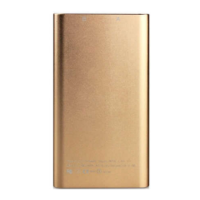
Do you have a question about the Icemoon Wi-Fi Camera Power Bank and is the answer not in the manual?
Instructions for inserting the Micro SD card into the device.
Steps to power the camera on and off.
Details on how to charge the device battery.
Procedure to control the LED indicator lights.
Instructions for resetting the camera to factory defaults.
Guide to downloading the ICEMOON mobile app via QR code or app stores.
Steps for launching the app and selecting the Wi-Fi camera option.
Connecting the camera to your smartphone's Wi-Fi hotspot (UID).
Selecting the connection type: via wireless router or direct point-to-point.
Viewing and managing connected devices in the app.
Accessing and configuring various device settings including alarms, recording, and email alerts.
Viewing the real-time video feed from the camera.
 General
| Brand | Icemoon |
|---|---|
| Model | Wi-Fi Camera Power Bank |
| Category | Accessories |
| Language | English |

 To Next Page