EasyManua.ls Logo

iClever BTH19 - Power On and Off

iClever BTH19
10 pages
Print Icon
To Next Page IconTo Next Page
To Previous Page IconTo Previous Page
Loading...
On
/
Off
Bluetooth
Pairing
@
&
Sf
pe
nennte
UM)
enn
5e)
see
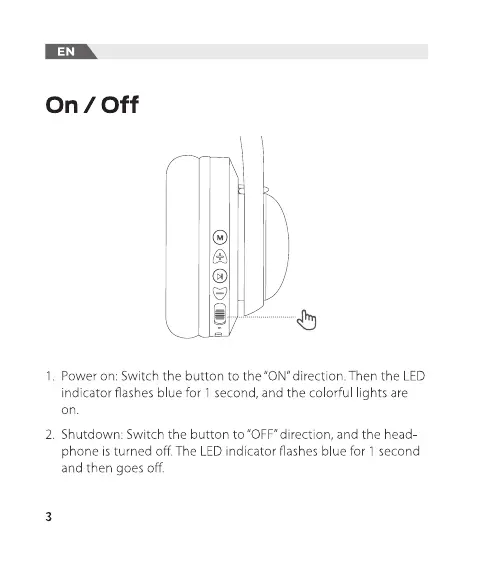
1.
Power
on:
Switch
the
button
to
the
“ON”
direction.
Then
the
LED
1.
In
the
power-on
state,
switch
the
button
to
the
“ON’
direction;
indicator
flashes
blue
for
1
second,
and
the
colorful
lights
are
the
colorful
lights
are
on;
Bluetooth
enters
the
pairing
state,
and
on.
the
red
and
blue
lights
flash
alternately.
2.
Shutdown:
Switch
the
button
to
“OFF”
direction,
and
the
head-
2.
Turn
on
the
Bluetooth
of
the
mobile phone.
Then
find
and
select
phone
is
turned
off.
The LED
indicator
flashes
blue
for
1
second
the
“iClever-BTH19”
Bluetooth
pairing
name
in
the
device
list
for
and
then
goes
off.
Bluetooth
pairing
connection.

Related product manuals