22
Launching the V1-M, iMAP and DAW/s
As we know, in order to use the V1-M to the fullest extent we must follow these
steps;
Note:
Please wait a few moments between each step, to ensure each is fully loaded.
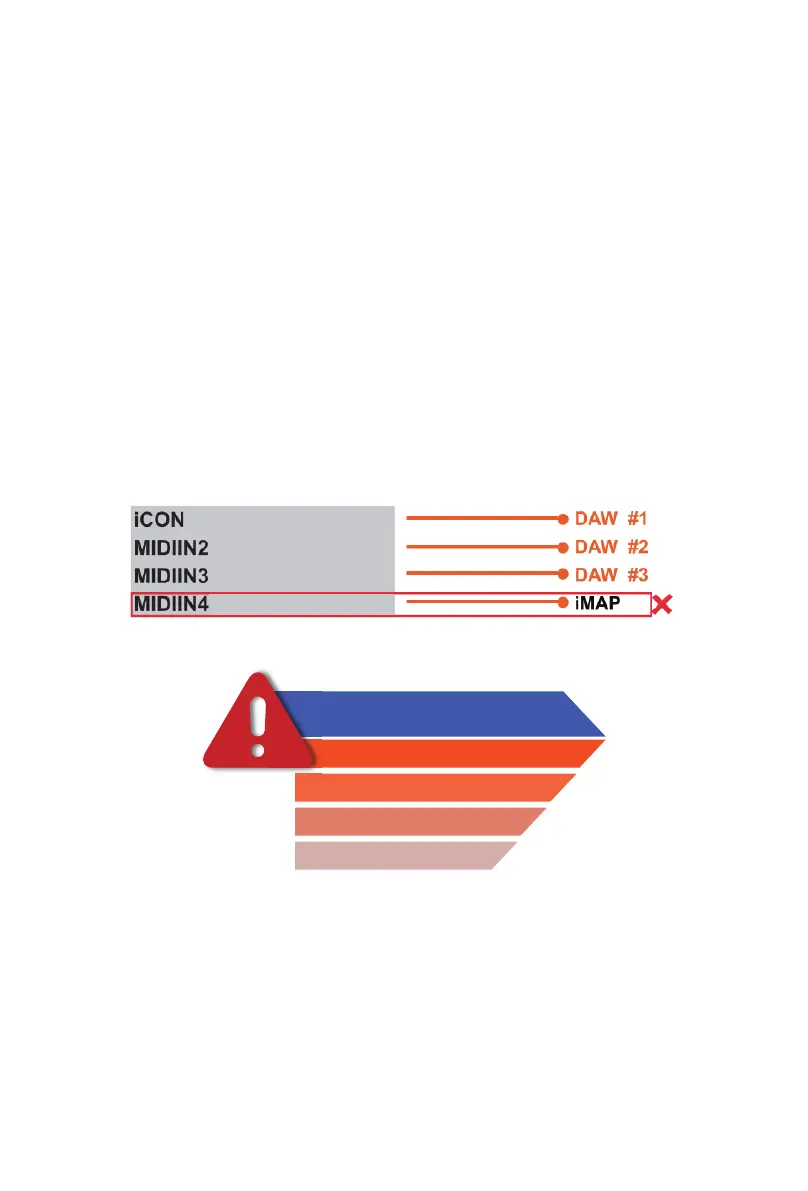
The reason for the order of this process is because, as you can see from the diagram
below, the iMAP must occupy MIDI port 4 in order to communicate eectively.
Unfortunately, some DAWs will automatically try to occupy that port when launched
and this will prevent.The iMAP, therefore, needs to be turned on after the controller
and before the DAW to make sure it occupies that MIDI port and is connected
properly.
Equally, to eectively ‘link’ with any V1-X extenders you may be using, the iMAP
must be running in the background and should be turned on after the controller and
before the DAW/s.
Note:
MIDl port 4 is used by the iCON Pro Audio software, iMAP
TM
, to change the
three DAWs you use, to update rmware and to program the 16 panel touchscreen
with the functions of your choice. You cannot use this port to connect your device.
Step 1: Switch on the controller
Step 2: Open the iMap
Step 3: Launch the DAW/s you intend to use
V1-M V1.01
(V1-M V1.01)
(V1-M V1.01)
(V1-M V1.01)
Remember
iMAP
Controller
DAW
Every time you launch the V1-M



 To Next Page