47
The V1-M will organize the DAW functions in a default state as communicated via
Mackie Control Protocol.
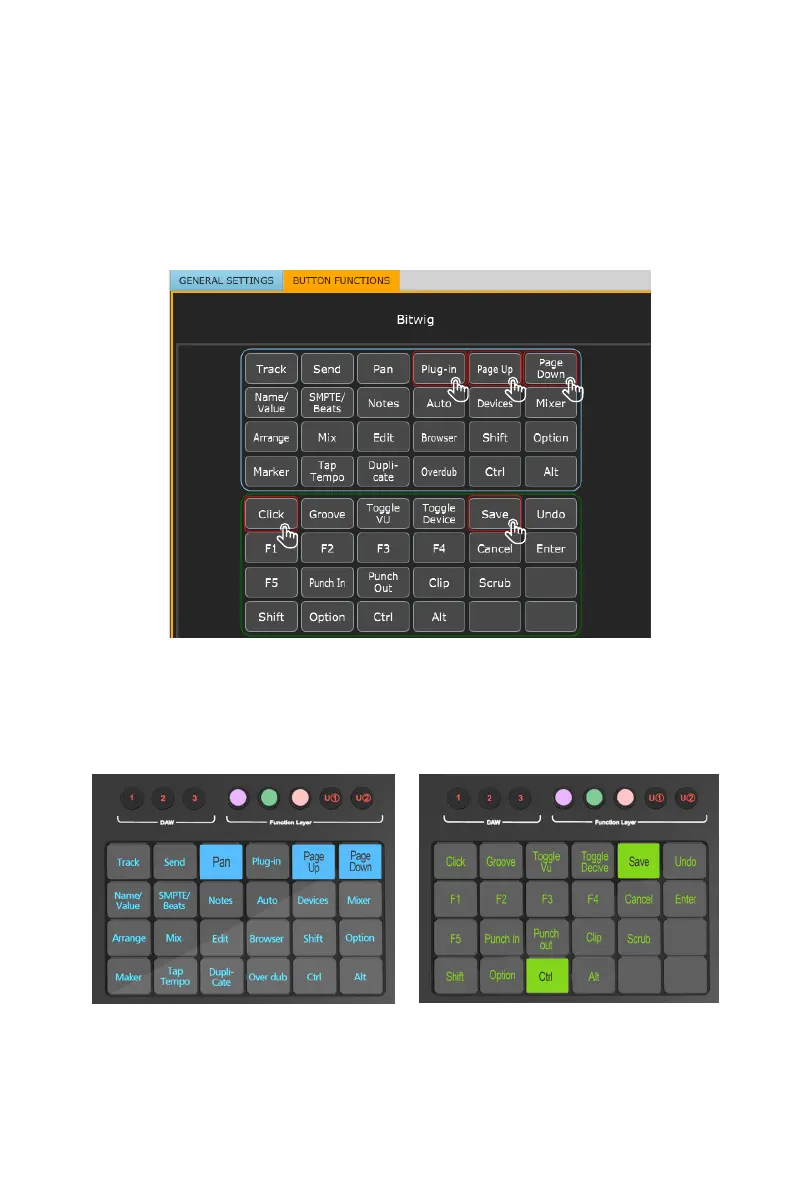
To demonstrate this, let's turn our attention again to DAW #1; Bitwig. Here we can
see the default settings have been loaded in each color mode. Here in DAW #1,
for Bitwig, "Plug in" and "Page Up/Down" are organized within the blue color mode,
whereas "Save" and "Click" are organized within the
green mode.
This is reected in the touchscreen display on the V1-M.
All
of the function settings
in the iMAP will reect those on the V1-M. In other words - what is on the screen in
the iMAP, will be on the screen on the V1-M. Any changes will be immediate. Clever
hey?!



 To Next Page