8
System Requirements:
• Windows PC (Vista or above)
• An available USB Port on the PC
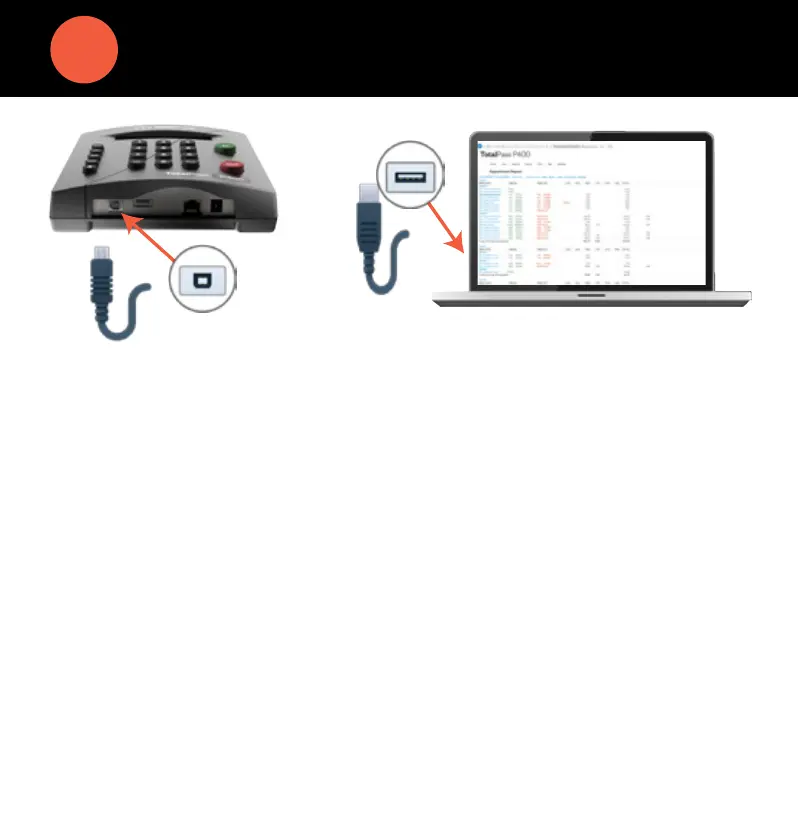
1. Plug the USB cable into the USB port located on the bottom of your clock.
2. Plug the other end of the USB cable into the USB port on your PC.
3. Download the USB Communication Drivers from our website and follow
the directions for installation provided on the webpage.
4. After installing the drivers, open your Web browser and navigate to:
http://totalpass.timeclock or http://172.20.20.1
Important: USB connection is compatible with Windows Vista and
above. If you are using a Mac, give us a call for alternative options.
CONNECT TO YOUR PC USING USB


 To Next Page