09
Owner’s manual for iCool Recovery Systems
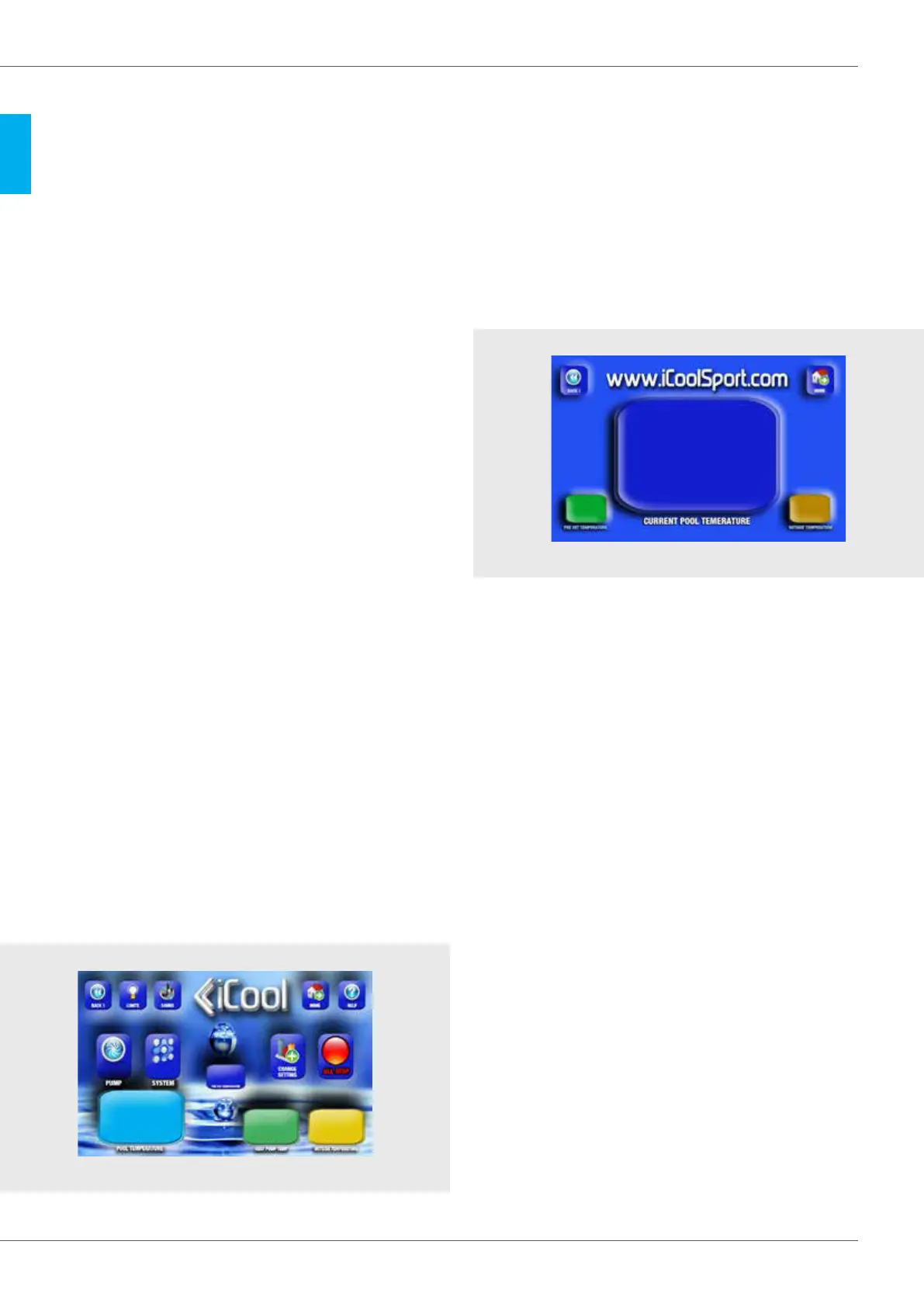
The pool temperature window shows the actual water temperature
returning from the pool. This will vary slightly to the actual temperature
in the pool because for safety reasons the electronic sensor is in the
cooling unit not in the pool. It accurately reads the actual temperature
of the water that is returning to the pool. The actual pool temperature
will be slightly different depending on your particular setup. The
temperature is always accurately maintained but if you want to display
the actual pool temperature within 1 degree you can simply set an
offset amount to compensate for the difference when selecting your
required temperature.
The heat pump temperature window shows the temperature inside the
cabinet. If this exceeds 70°C or 158°F the system will shut down, an
alarm will sound and a warning screen will appear. This could happen in
extremely hot conditions or if the unit is covered by an object such as a
towel or anything that prevents proper airflow. The outside temperature
window shows the current room or outside temperature. It is not
desirable to operate this system in temperatures above 42°C or 108° F.
If the reading exceeds this you need to move the system to a cooler
area or improve the air flow. The preset temperature window always
shows your selected temperature. This is the temperature the water will
be automatically cooled (or heated) to and maintained at.
Changing the temperature setting
You can change your preset temperature at any time by touching the
change setting button, this will take you to the change settings screen.
From here you proceed as described previously.
Changing FROM COOLING TO HEATING The left hand side heat pump
can also heat your pool up to 42ºC for contrast therapy, however, for
safety reasons you cannot change directly from heating to cooling or
cooling to heating. To do this you must switch off the entire system at
the main switch and start again. This is required to prevent the system
from changing modes accidentally.
See setting up heating mode on page 8
Fan Speeds
During normal operation the main fan may automatically change
speeds as required to maintain the highest efciency. The fan will
usually be at full speed when the work load is high.
You can display the pool temperature at full-screen size
If you touch the number in the pool temperature window on the Main
Operation Screen for a few seconds the screen will change to a full-
screen display of that temperature. This is useful if you wish to monitor
the system from a distance. The pre-set temperature and the outside
temperature continued to display in smaller windows for your reference.
To return to the main operating screen touch the BACK 1 button.
To stop the system at the end of your session
There are several ways to stop the system and close it down. You can
stop the cooling system by touching the stop system button, in this
case the pump will continue to run. You can stop to pump at any time by
touching the stop pump button. Alternatively you can stop everything
by touching the all stop button. Alternatively you can simply switch off
the main power. If you use the all stop button the fan may continue to
run for a short time to cool the cabinet. Because the system will not
run without water, touching stop pump also stops the heat pump if it
is already running.
Emptying the pool using the Pumps
You can use the main circulating pumps to empty the water from the
pools by detaching the hose that runs from the pump to the iCool. The
pool water can then be directed to a drain. The pump can be turned on
and off at any time using the pump stop/start button.
DETAILED OPERATION
DETAILS OF THE MAIN OPERATING SCREEN
Main Operation Screen
Current Pool Temperature Screen
14
°
30
°
22
°
10
°
10
°
25
°
24
°



 To Next Page
 Loading...