
 Need help?
Do you have a question about the ICRealtime NVR-7508K and is the answer not in the manual?
General introduction to the NVR series capabilities.
Detailed list of key features like surveillance, playback, and user management.
Technical specifications for NVR models, including system, audio, and video parameters.
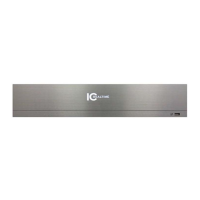
Visual identification and description of the NVR's front panel components.
Detailed layout and function of the NVR's rear panel ports and connectors.
Guidance on connecting alarm input and output devices to the NVR.
Step-by-step instructions for installing a Hard Disk Drive (HDD) into the NVR.
Illustrative diagram showing typical device connections for the NVR.
Instructions for safely powering the NVR on and off, including shutdown methods.
Guide to the initial setup wizard for configuring NVR settings.
Procedures for connecting, managing, and upgrading remote devices.
Configuring recording modes, schedules, and taking snapshots.
How to search, playback, and download recorded video files.
Setting up and managing various alarm types and responses.
Comprehensive network setup including TCP/IP, WiFi, 3G, DDNS, and UPnP.
Managing Hard Disk Drives, including format, information, and RAID.
Overview of accessing and preparing for web-based NVR control.
Accessing the NVR remotely via a Wide Area Network (WAN).
Detailed configuration of camera, network, event, storage, and system settings via web.
 General
| Brand | ICRealtime |
|---|---|
| Model | NVR-7508K |
| Category | Network Hardware |
| Language | English |

 To Next Page