613GC OPERATOR’S MANUAL
9
SET-UP
GUIDE BAR AND DIAMOND CHAIN INSTALLATION
STEP 5
Make sure all the drive links are inside the
guide bar groove then pre-tension the chain.
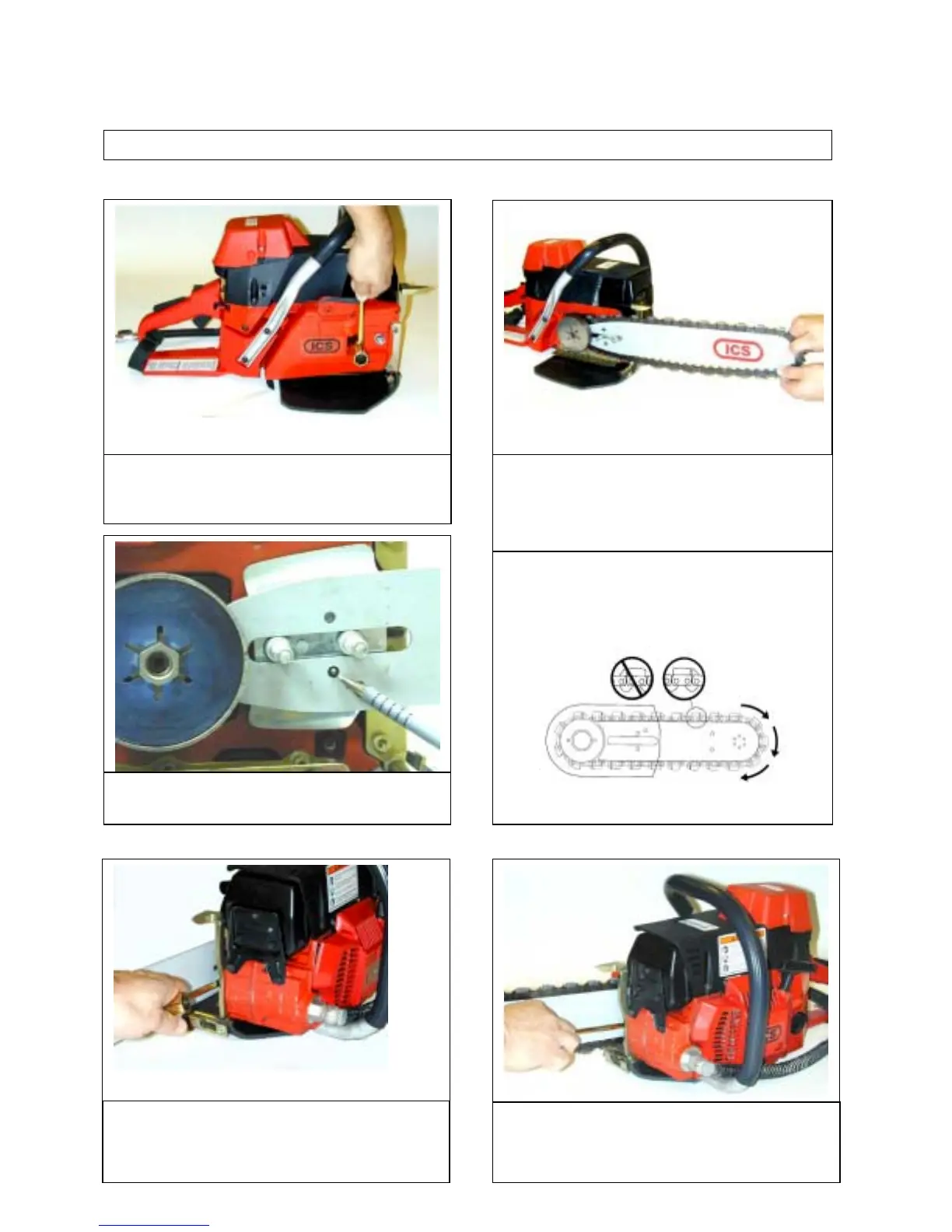
STEP 1
Loosen side cover nuts and remove side
cover.
STEP 3
Move chain adjuster pin back towards drive
sprocket by turning chain-tensioning screw
counter clockwise.
STEP 4
Mount the diamond chain on the guide bar
starting at the drive sprocket & continue over
the guide bar nose.
Install the diamond chain correctly. The
bumper must always lead the segment into
the cut as shown here.
STEP 2
Place bar onto studs and chain adjustment pin.



 To Next Page