11
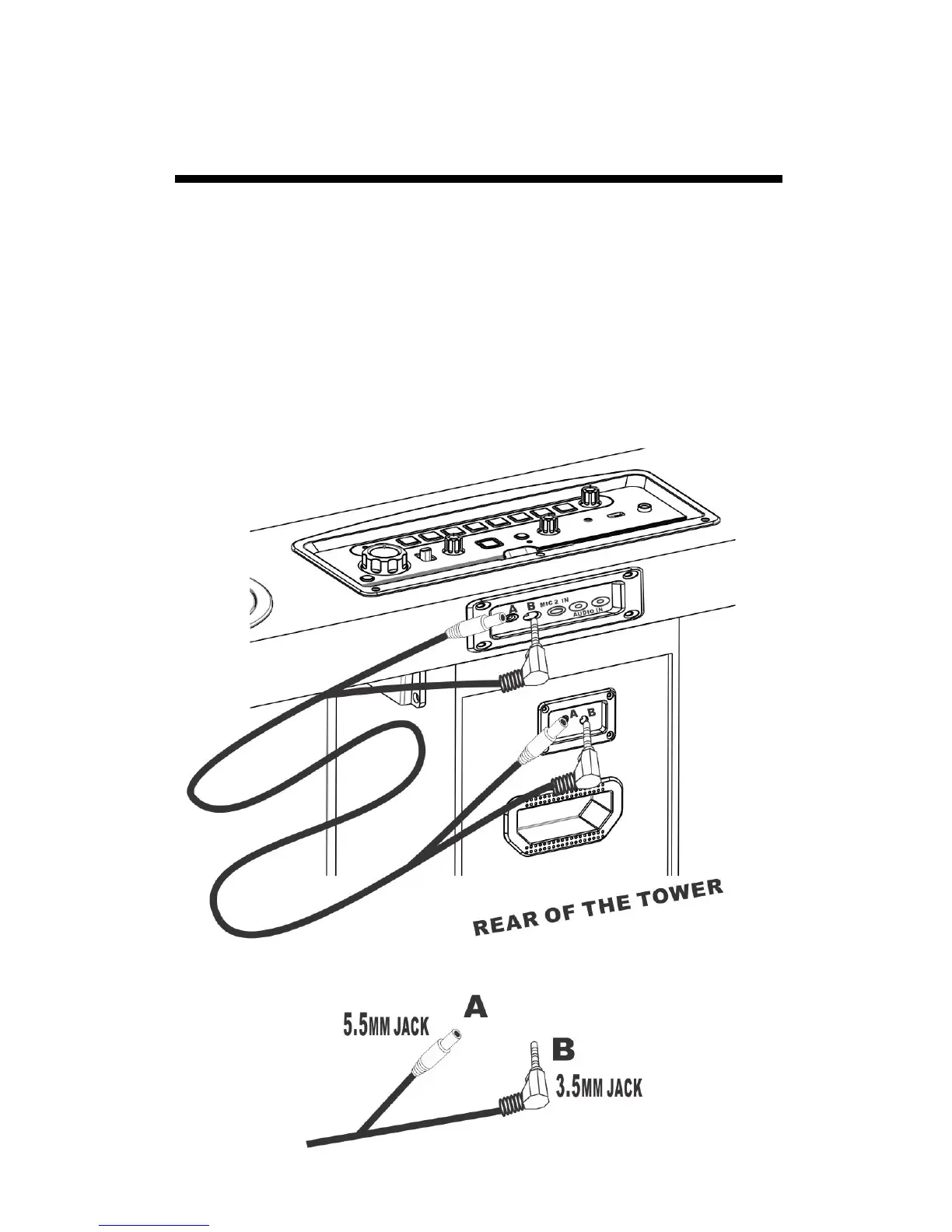
A / B CONNECTION
Use the cable to connect the panel and tower follow below picture.
1. Install the panel on the tower ( Following previous page)
2. Find the included cable from your box
3. Panel B position - Connect a 3.5mm jack( included).
4. Panel A position - Connect 5.5mm jack ( included).
5. Tower B position - Connect other 3.5mm jack ( included).
6. Tower A position - Connect other 5.5mm jack ( included).
Notes: Don’t put the adapter DC jack to A or B position.


 To Next Page