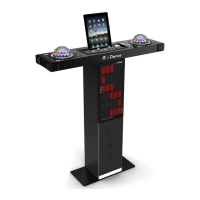
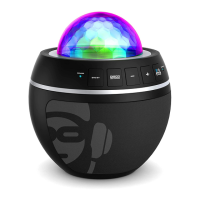
ECHO Buons
Press the “+” or “-“ buon to adjust the microphone echo level
VOLUME Buons
Press the “+” or “-“ buon to adjust the master volume level
POWER Indicator
The Indicator will be lighten when unit at standby mode.
STD BY Buon
Press the buon to turn on unit or enter standby mode.
DISCO LED MODE Buon
Press the buon to select different light effect for all light show.
Hold the buon to turn on or off disco ball light effect.
LED METER Buon
Press to select different light effect on light panel
NEXT AND PREV BUTTON
Press the buon to select next track in Bluetooth mode.
Hold the buon to select previous track in Bluetooth mode.
PAIRING & PLAY Buon
Hold to enter Bluetooth pairing connecon. XD8N will search for new Bluetooth device.
Press to play/pause Bluetooth music when Bluetooth device is connected
BLUETOOTH Indicator
The indicator will light when Bluetooth successfully paired
The indicator will flash when Bluetooth start pairing.
DISCO BALL
Color LED light show.
iDance Logo
Logo will be lightening when unit is turned on.
LED LIGHT SHOW PANEL
Different color LED light show.
LINE IN (Aux In / Audio Input) Input
Connect a music device to this socket with a 3.5mm audio cable.
MIC 1 / 2 IN (1/4” Jack) Input
6.3mm unbalanced jack for connecng microphone.
DC IN Jack
Connect the included power adapter to this plug to power up the XD8N.
(Note: please only use the adaptor included in the XD8N package, using other adaptor may cause
damage to the unit)
MIC Holder
CARRY HANDLE
1.
2.
3.
4.
5.
6.
7.
8.
9.
10.
11.
12.
13.
14.
15.
16.
17.
CONTROL LOCATION (1.2)
E2


 To Next Page
 Loading...