How to Use MicroTouch® Titanium Trim™
Cutting/Trimming Hair or Beard
With Comb Attachment
•
For best results, use on dry hair and comb/brush hair prior to use to detangle any knots.
•
When cutting/trimming for the rst time, start by using the attachment with the longest setting in order
for you to familiarize yourself with the product.
•
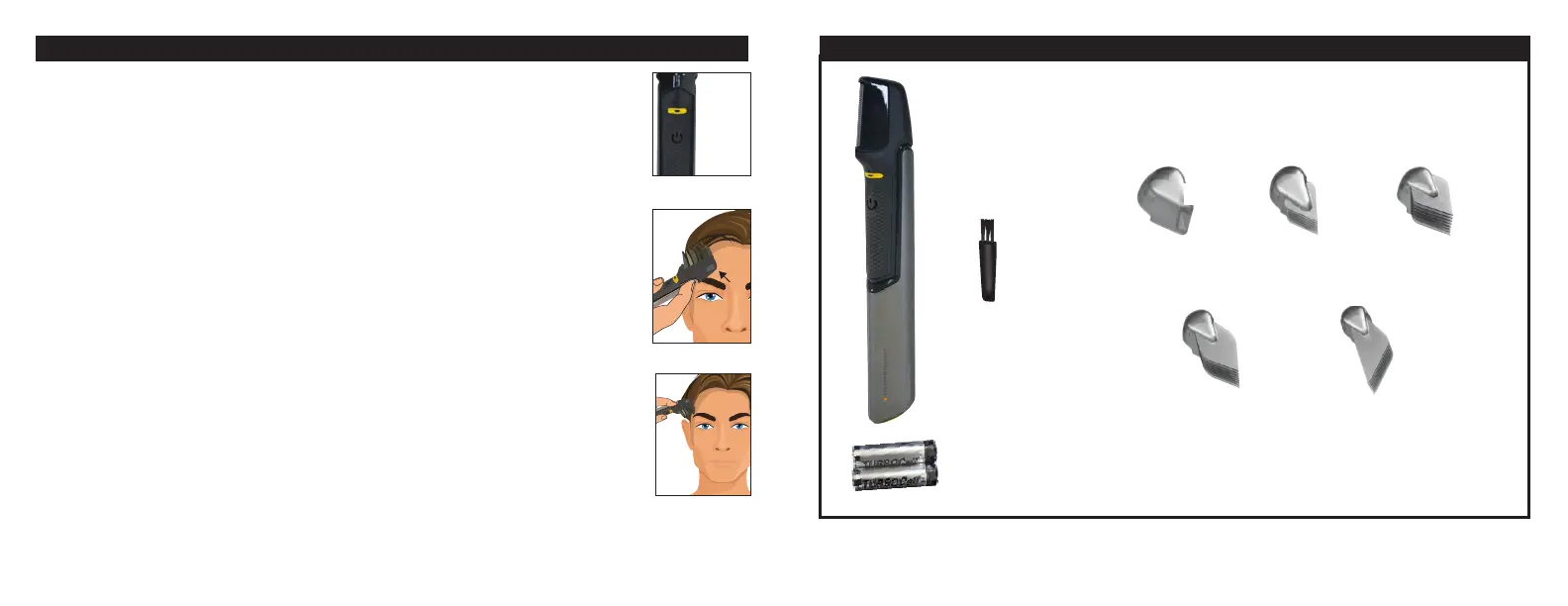
Press on/o button (Image 7). The LED light will illuminate and the blade will begin to move.
•
To begin, start at the top portion of your head, being sure to trim starting from the front and combing
toward the back of your head (Image 8).
•
Keep at edge of the comb attachment against your head while moving it through your hair in
short strokes.
Trimming Sides of Hair
•
Move the unit from the back of your head to the front, being sure to comb in an upward and outward
motion (Image 9).
•
You can also trim the sides of your hair by moving the unit up and down.
TIP: The comb attachments can be used in either direction as desired. For best results, cut against
the direction of hair growth and if you are not getting the desired trimming results, lift your hair from
the scalp and comb through.
Image 7
Image 8
What’s Included
Blade Guard
(G)
½” / 13mm (#4)
MicroTouch® Titanium Trim™
¼” / 6 mm (#2)
Cleaning
Brush
1” / 25mm (#8)¾” / 19 mm (#6)
Image 9
2 AA Batteries Included



 To Previous Page
 Loading...