
 Need help?
Do you have a question about the IDEAL 61-844 HeatSeeker and is the answer not in the manual?
Precautions to avoid eye damage from the Class 2 laser beam and hazardous radiation exposure.
Detailed list of all accessories and components provided with the imager.
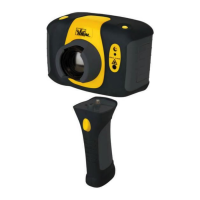
Identification of key buttons, lenses, and indicators on the thermal imager unit.
Instructions for turning the camera on/off and charging its internal battery.
Procedure for adjusting the lens to achieve a clear image, with visual indicators.
Explanation of function key assignments and the process for capturing and saving images.
Details on how temperature readings, cursors, and ranges are displayed.
Description of displaying thermal, visible, or blended images, including Picture-in-Picture.
Procedure for aligning visible and thermal images when viewing objects at different distances.
Guide on entering, navigating, selecting, and exiting the camera's menu system.
Configuration of emissivity values, color palettes, and temperature units.
Adjusting image integration period for noise reduction and interpolation for pixelation.
Options for cursors, tracking points, and area analysis for temperature measurements.
Configuration for highlighting temperature bands and displaying temperature profiles.
Adjusting LCD brightness, auto-off timer, and camera reset options.
Configuring sequential image capture at intervals or on alarm conditions.
Managing voice messages for image annotation, playback options, and volume.
Instructions for browsing, displaying, and deleting captured images.
Procedure for setting the current date and time on the imager.
Guide to selecting the desired language for the device interface.
Steps for recording, saving, and re-recording voice messages for captured images.
Instructions for entering and saving text captions for captured images.
Reference tables for emissivity values of various materials.
Explanation of icons displayed for Function Keys 1 through 4.
Descriptions of additional icons used for system status and controls.
Details on temperature range, FOV, sensitivity, frame rate, and image storage.
Technical data for the display, laser pointer, and measurement features.
Information on battery, housing, dimensions, weight, and control features.
Specifications for the computer system needed to run analysis and report software.
Information on operating temperature, humidity, IP rating, and calibration cycle.
Details of the limited warranty, coverage, exclusions, and legal rights.
 General
| Thermal Sensitivity (NETD) | < 0.1°C at 30°C (100 mK) |
|---|---|
| Focus | Fixed focus |
| Storage Temperature | -20°C to 60°C (-4°F to 140°F) |
| Accuracy | ±3.6°F (2°C) or ±2% of reading |
| Emissivity | Adjustable, 0.1 to 1.0 |
| Image Modes | Thermal, Visual |
| Image Storage | SD card |
| Connectivity | USB |
| Operating Temperature | -10°C to 50°C (14°F to 122°F) |

 To Next Page