EasyManua.ls Logo

idi Aspect ISR G3 - User Manual

idi Aspect ISR G3
36 pages
Print Icon
To Next Page IconTo Next Page
Loading...
Made in the USA
idi
Image Diagnostics, Inc.
Manufacturers of Quality Medical Products
Aspect
100-4T G3 and ISR G3
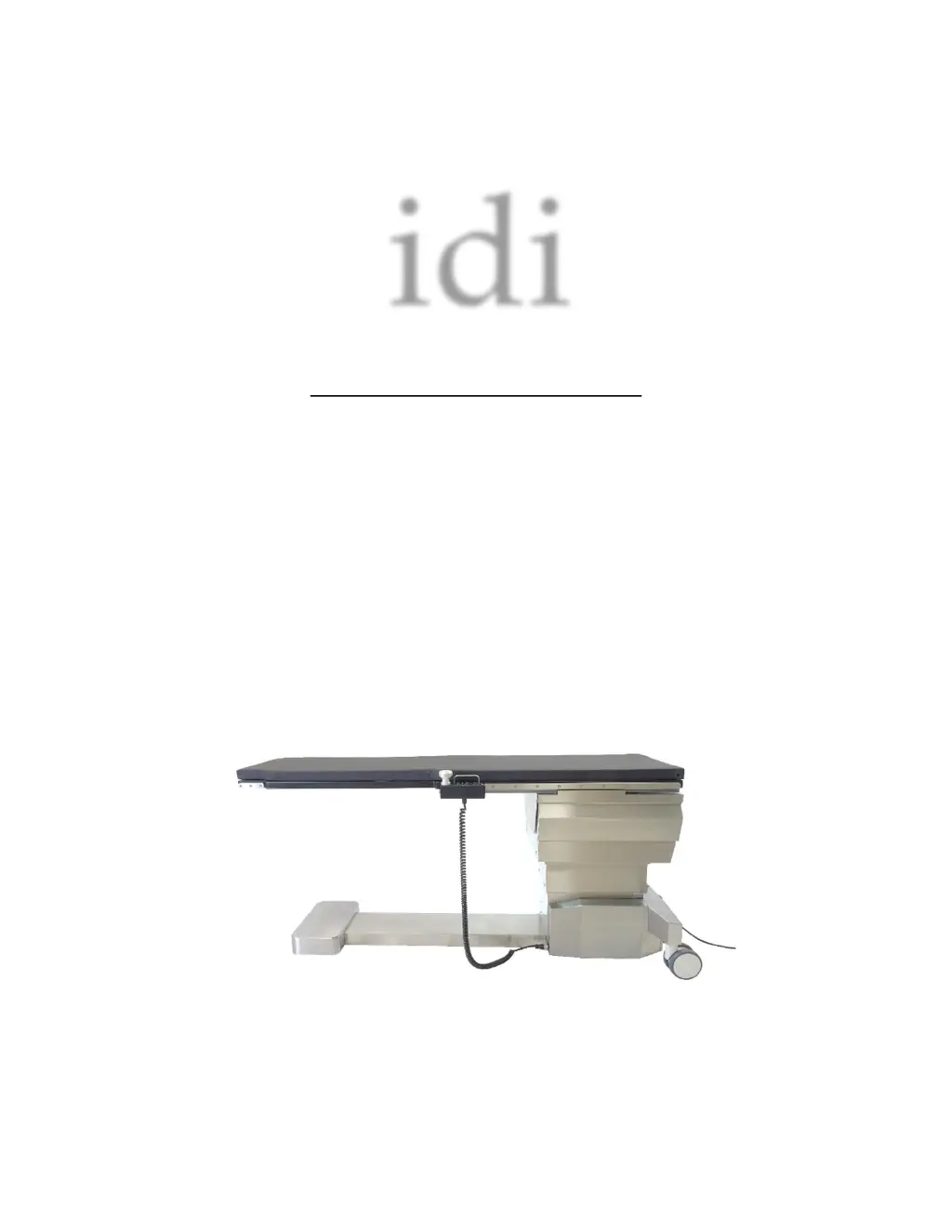
Mobile Image Tables
Operator Manual

Questions and Answers

  • R
    Ryan HesterAug 4, 2025
    What to do if the idi Aspect ISR G3 table controls are not functioning?
    • M
      marylawsonAug 4, 2025
      If the idi Indoor Furnishing table controls aren't working, here are some potential causes and solutions: * **No Power:** Check the electrical outlet to ensure the table is receiving power. * **Battery Depleted:** Connect the table to AC power to charge the battery. * **Emergency Stop Pushbutton Engaged:** Reset the Emergency Stop Pushbutton. * **Table Top Motion Control Panhandle Switches Disabled:** Reset the Panhandle Switch Lockout Pushbutton. * **Control connection:** Service Controller connections according to Service Manual. * **Electromagnetic Interference:** Refer to Section 5 of this manual. * **Actuators uncalibrated:** Reinitialize Actuator Controller with Handset Control.
  • P
    Patrick TerryAug 11, 2025
    Why are the lateral and longitudinal brakes on my idi Indoor Furnishing not releasing?
    • S
      Stacey EspinozaAug 11, 2025
      If the lateral and longitudinal brakes on your idi Indoor Furnishing aren't releasing, it could be due to the following reasons: * **No Power:** Ensure the table is connected to a working electrical outlet. * **Emergency Stop Pushbutton Engaged:** Reset the Emergency Stop Pushbutton. * **Battery Depleted:** Connect the table to an AC Power Outlet.
  • B
    Brianna MasonAug 19, 2025
    What to do if Longitudinal Brakes are not releasing on idi Aspect ISR G3?
    • M
      Marc HillAug 19, 2025
      If the Longitudinal Brakes are not releasing on your idi Indoor Furnishing, consider these potential causes: * **Emergency Stop Pushbutton engaged:** Reset the Emergency Stop Pushbutton. * **Table Top Motion Control Panhandle not in level Trendelenburg position:** Move the Table Top to the level Trendelenburg position. * **Table Top does not stop at Trendelenburg Level position:** Service Trendelenburg Rocker Switch according to Service Manual.
  • J
    justin78Aug 27, 2025
    How to fix stuttering or sticking lateral and longitudinal brakes on idi Aspect ISR G3?
    • T
      travismorrisAug 27, 2025
      If the lateral and longitudinal brakes on your idi Indoor Furnishing are stuttering or sticking, here are possible reasons and solutions: * **Table has been dormant for extended length of time:** Release the brakes using the Table Top Motion Control Panhandle and move the tabletop in all directions. Working the tabletop motions may free the dragging. * **Contamination on brake surfaces, or improper cleaning or maintenance performed:** Clean brake surfaces according to Service Manual.

Summary

Symbol Identification

Intended Use & Essential Performance

Safety Instructions

Safety Hazards

EMC Statement

Emergency Stop Pushbutton

Setup Instructions & Patient Preparation

Installation

Procedure for setting up the imaging table, including power connection and checks.

Preparation for Patient Use

Steps for cleaning the equipment before and after patient use to ensure hygiene.

Patient Loading

Guidelines for safely positioning and loading patients onto the imaging table.

Preparation for Performing CPR

Instructions on adjusting the table for optimal patient positioning during CPR.

Instructions for Table Operation

Caster Motion and Steering Settings

How to adjust caster pedals to steer, float, or lock the table's movement.

Power Indicator Light

Location and meaning of the power indicator light on the table.

Table Motion Controls

Explanation of tabletop motion controls via switches and indicators on the unit.

Table Top Motion Handset Controls

Operation of the handheld control unit for tabletop movements and locking mechanisms.

Foot Actuated Motion Controls

Using foot pedals to control table elevation, tilt, and roll motions.

Standard Accessories

Patient Mattress Pad for Tabletop

Information on the patient mattress pad, its attachment, and replacement.

Patient Restraint Straps

How to use patient restraint straps for safety during procedures.

Add-On Accessories

Clamp-on Accessory Rail

Details on attaching accessory rails to the table for mounting equipment.

Vascular Access Arm Board (VAB)

Description of the VAB for vascular access procedures, its mounting, and features.

Quick Release Rail Mount Arm Board

How to install and use quick-release arm boards on accessory rails.

Arm Board, Shoulder Mount

Information on the shoulder mount arm board and its secure attachment.

Tabletop Catheter Tray Extension

How to attach catheter tray extensions to different ends of the tabletop.

Articulating Headrest Extension

Instructions for installing and adjusting the articulating headrest extension.

Peripheral Headrest Extension

Details on attaching and using the peripheral headrest extension.

Radiation Shield

Information on the articulating radiation shield, its features, and mounting.

Anesthesia Screen Holder

How to mount the anesthesia screen holder, with options for rails or headrest.

Side Rail Clamps, Rotating

Use of rotating side rail clamps with the anesthesia screen holder.

General Cleaning

Maintenance, Service & Repair

Recommended Periodic Performance Checks

Schedule and tasks for daily, weekly, and semi-annual inspections of the table.

Service & Repair Statement

Guidelines for qualified personnel performing service and repairs on the equipment.

Troubleshooting

Disposal of Components

Product Data

Specifications

Warranty

idi Aspect ISR G3 Specifications

General IconGeneral
Brandidi
ModelAspect ISR G3
CategoryIndoor Furnishing
LanguageEnglish