Idle!Smart!Installation!Guide! Page!5!
Version 1.5 – March 2014!
□ Step 15: Secure Base Unit Inside Dash
Secure Base Unit within dash preferably to a flat surface with the provided heavy duty tape or zip ties. Ensure the
unit will not excessively vibrate during truck operation or be interfered with by other components or cabling within the
compartment. Reassemble dash cover.
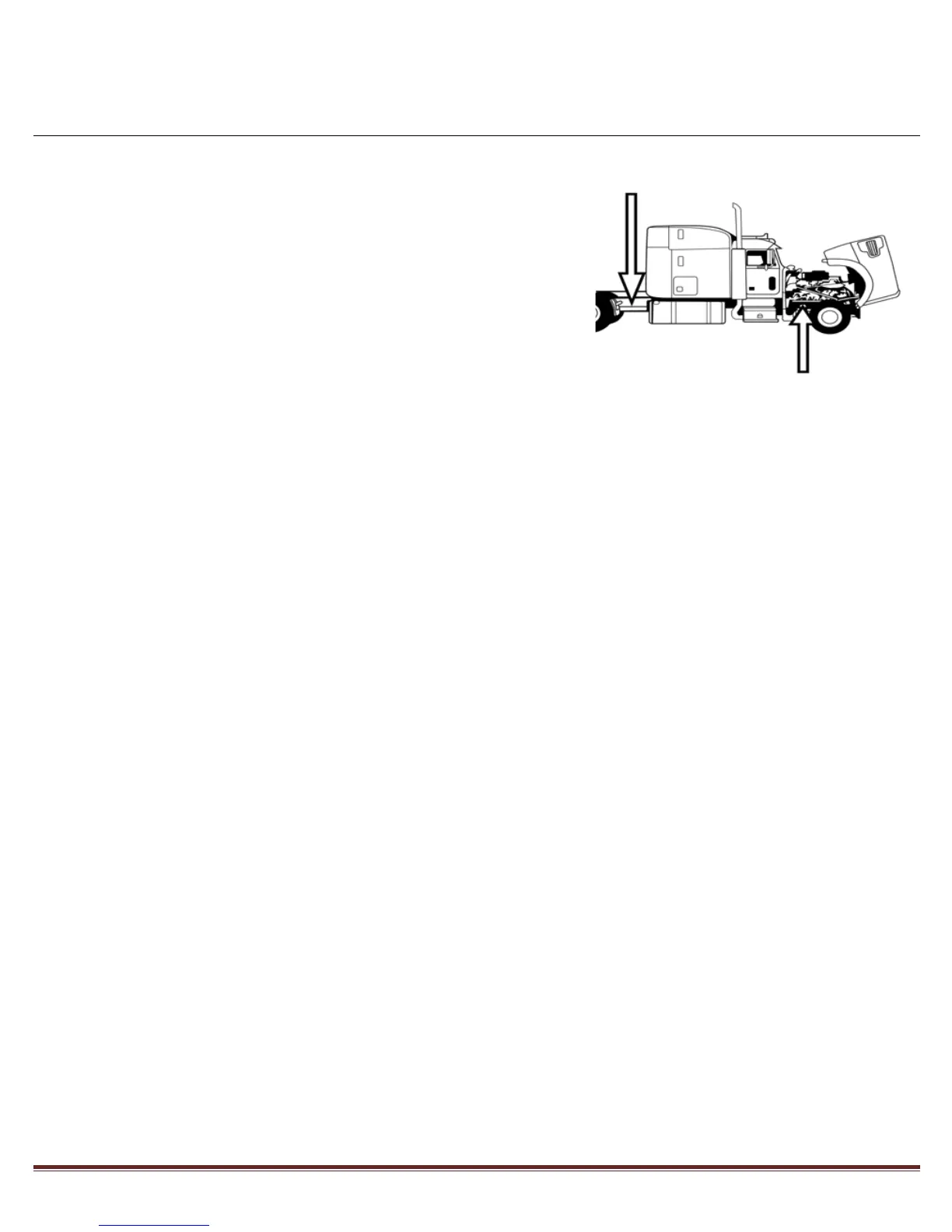
□ Step 16: Place Stickers
Place the four warning stickers provided on each frame rail within the
engine compartment and between fuel tanks and tandems. Place the
“Equipped with Idle Smart” sticker on the side of the truck.
The Installation is now complete and ready for use. Please instruct the vehicle user to refer to the
Idle Smart Quick Start Guide and User Manual for product familiarity before use.


 To Previous Page