
 Need help?
Do you have a question about the IDOO ID-IG301S and is the answer not in the manual?
Covers essential safety rules for indoor use, power, maintenance, and handling.
Provides guidance on water pump operation, root entanglement, and tank water levels.
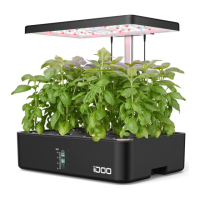
Details the main parts and features of the hydroponic system.
Lists key technical details like model, voltage, power, dimensions, and materials.
Enumerates all items provided in the product package.
Guides users through the assembly and setup process of the hydroponic system.
Instructions on how to set the optimal height for the LED grow light.
Details the process of filling the tank and adding plant nutrients correctly.
Provides instructions for planting seeds, germination, and seedling management.
Instructions on when and how to plug in the device and its power indicator.
Explains the different modes (Power, Fan&Water, Vegetables, Flowers&Fruits) and their operation.
How to find and download the companion mobile application.
Steps for creating a new user account for the app.
Introduces the process of connecting the hydroponic system to the mobile app.
Details the first method for connecting the device to the app using Wi-Fi.
Details the second method for connecting the device to the app using Auto Scan.
Explains how to connect using AP Mode if other methods fail.
How to operate modes, light, pump, and fan through the app interface.
Instructions on how to disconnect and remove the device from the app.
Information on accessing further detailed instructions for the app via QR code.
Step-by-step guide for changing the water in the tank and maintaining nutrient levels.
Instructions for monthly cleaning of the water pump and its filter.
Recommendations for placing the hydroponic system in the environment.
Addresses common problems like few plants growing or wilting quickly.
Explains causes and solutions for noise from the water pump.
Discusses the reusability of sponges and moving plants from them.
Addresses why seeds might not germinate or plants might not bloom.
Tips on preventing mold and algae development on sponges.
Lists circumstances under which the manufacturer's warranty becomes void.
Provides phone and email for customer service and warranty claims.
Details FCC and ISED regulatory compliance information for the device.
Identifies the US importer and the manufacturer's location.
 General
| Brand | IDOO |
|---|---|
| Model | ID-IG301S |
| Category | Greenhouse Kit |
| Language | English |

 To Next Page