
EasyManua.ls Logo

ieGeek IK-103 - User Manual

ieGeek IK-103
24 pages
Print Icon
To Next Page IconTo Next Page
Loading...
Model IK-103
User Manual
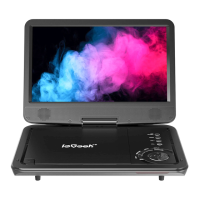
Portable Video Player
ieGeek, Makes Your Life Better.
If you have any questions, please contact:
vp-service@iegeek.com

Questions and Answers

ieGeek IK-103 Specifications

General IconGeneral
BrandieGeek
ModelIK-103
CategoryDVD Player
LanguageEnglish

Summary

Useful Tips for Portable Video Player

Battery Charging and Usage

Instructions for charging the battery and initial use, including indicator light meanings.

LCD Screen Care

Guidance on handling the LCD screen, including removing screen protectors.

Laser Pickup Handling

Important warnings about handling the laser pickup and removing protective cards.

Supported Disc Formats

Details which disc formats are compatible and which are not supported by the player.

Language and Game Features

How to set language preferences and information on playing games on the device.

Product Maintenance Advice

Recommendations for cleaning the unit, avoiding liquids, and general care.

Product Description and Features

Package Contents Overview

Lists all items included in the product package, such as the player, remote, and cables.

Player Button Functions

Detailed explanation of the purpose and operation of each button on the portable video player.

Remote Control Operations

Comprehensive guide to the functions of each button on the remote control unit.

Remote Control Range

Specifies the optimal distance and angles for effective remote control operation.

Connecting Your Portable Video Player

Game Controller Setup

Instructions for connecting a game controller and initiating game play on the device.

Television Connection Guide

Diagram and steps for connecting the portable player to a television using AV cables.

Setup and Configuration Options

Navigating Setup Menus

Step-by-step instructions on how to access and operate the player's setup menus.

General Settings Configuration

Covers TV display, angle marks, OSD language, screen saver, memory, and MP3 lyric settings.

Audio Settings Adjustment

Allows customization of audio outputs like downmix, dual mono, and dynamic sound.

Display Quality Tuning

Enables adjustment of screen properties such as sharpness, brightness, and contrast.

Preference and Parental Controls

Manages default disc settings, parental ratings, password protection, and factory resets.

Technical Specifications

DIVX and Media Format Details

Information on DIVX playback quality, capacity, and comparisons with other formats.

Supported Media Types

Lists all compatible disc, audio, video, picture, and e-book file formats.

Device Technical Data

Provides essential technical specifications including frequency response, outputs, and power requirements.

Troubleshooting Common Issues

Disc Reading Errors

Solutions for the player failing to read discs, including format checks and cleaning.

Power and Operational Failures

Troubleshooting steps for when the player does not turn on or function correctly.

Visual Display Problems

Addresses issues causing picture distortion and offers solutions.

USB;SD Card Read Issues

Guidance on resolving problems reading files from USB or SD cards, suggesting format conversion.

Remote Control Malfunctions

Steps to fix remote control issues, covering battery, aiming, and button failures.

Game Functionality Errors

Troubleshooting for problems with the game feature, checking connections and game downloads.

Audio Output Problems

Diagnoses for low volume or no sound, checking speakers and disc audio compatibility.

Playback Navigation Limitations

Explains restrictions on advancing through movie content due to disc programming.

External Interference Issues

Solutions for malfunctions caused by static discharge or other external interferences.

Warranty Information

Warranty Period Information

States the product is covered by a 12-month warranty from the purchase date.

Warranty Limitation Conditions

Details the specific circumstances and damages that will void the product warranty.