Need help?
Do you have a question about the IES Keywatt S120 and is the answer not in the manual?
Read instructions carefully and familiarize yourself with the device before installation, operation, or maintenance.
Electrical equipment should be installed, operated, serviced, and maintained only by qualified personnel.
This guide aims to provide information needed for installation and end-of life of the Keywatt S180 Station.
This guide concerns the following charging stations: KEYWATT® S180 CE, KEYWATT® S150 CE, KEYWATT® S120 CE.
Lists related documents like Installation Manual, User Manual, and Service Manual with their references.
Invitation to communicate inaccuracies, omissions, or make general comments or suggestions regarding the manual's quality.
Save these instructions and read them carefully for proper and safe operation.
Details risks of electric shock, injury, and burning. Only qualified personnel should repair equipment.
Details risks of damage to the terminal, cables, and connectors. Do not use damaged products.
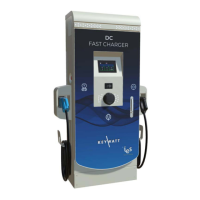
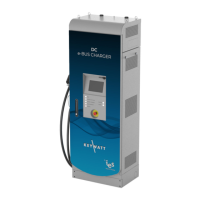
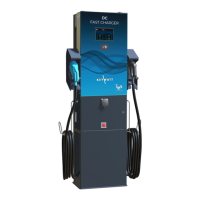
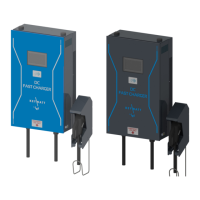
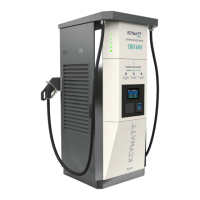
Illustrates the external view of the charging station with labelled components and versions.
Provides detailed specifications for AC main supply, including voltage, current, frequency, and power factor.
Details DC output specifications, including voltage range, current range, maximum power, and connector type.
Details characteristics of the DC insulation monitor device, including response time, test time, and measurement methods.
Provides frequency band and radio frequency characteristics for the 4G module.
Details RFID reader characteristics, including frequency bands and power output.
Details characteristics of the EV detection loop, including frequency bands and loop customization.
Details the operating frequency for radar characteristics.
Provides general dimensions, weight, installation type, fixation points, and protection type of the station.
Lists operating and storage temperatures, relative humidity, and installation altitude constraints.
Lists relevant norms and standards the product complies with, such as LVD, EMC, and charging system standards.
Explains the Human/Machine interface and LED indicators for different charging states.
Details prerequisites before starting a charge, including checking the unit and having valid identification.
Guides through starting an EV charge session using the prepayment method.
Guides through starting an EV charge session using the pre-authorization method.
Guides through starting an EV charge session using pre-authorization with specific settings.
Describes the EV charging process, displaying charging status, energy, and transaction amount.
Explains how to stop an EV charge session, either by reaching the consumption limit or manually.
Details the steps to use the Emergency Stop button on fleet versions.
Lists and describes various messages and errors the charging station might display.
Details specific error codes, their corresponding screens, and their resolutions.
 General
| Brand | IES |
|---|---|
| Model | Keywatt S120 |
| Category | Battery Charger |
| Language | English |

 To Next Page