
 Need help?
Do you have a question about the iFAMILY SM651 and is the answer not in the manual?
Covers general safety precautions, hazards, usage conditions, and warnings for the baby monitor.
Highlights warnings about heat, power source, damage, IR emission, and battery replacement.
Lists all the items included in the baby monitor package.
Details the features and buttons of the parent unit (monitor).
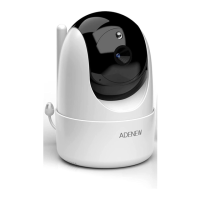
Describes the features and components of the baby unit (camera).
Explains the meaning of various icons displayed on the monitor.
Instructions on how to charge and power on the monitor and baby units.
Provides guidance on optimal camera placement and factors affecting signal range.
Covers Pan/Tilt, Night Vision, Talk Mode, and Digital Zoom operations.
How to scan and switch between multiple paired cameras.
Step-by-step guide to pair the baby unit with the parent monitor.
Procedure for removing a paired baby unit from the monitor.
How to select and play lullabies on the baby unit.
Setting up timed alerts for feeding or diaper changes.
Configuring the sound-activated monitoring (VOX) sensitivity levels.
How to set up temperature alerts and select units (°C/°F).
Configuring high and low temperature thresholds for alerts.
How to change the display language of the monitor.
Adjusting the operating frequency for different regions.
Restoring the monitor to its default factory settings.
Provides key technical specifications for the baby monitor system.
Troubleshooting steps for when the product does not turn on.
Solutions for static or interference issues with the signal.
Steps to resolve when the camera loses its connection to the monitor.
Troubleshooting tips when the camera feed is not displayed.
How to fix issues with no sound being heard from the monitor.
Addresses issues like black and white picture or choppy video playback.
Solutions for noise or interference affecting the monitor's audio.
Troubleshooting for battery charging failures and pairing problems.
Details FCC compliance, operating conditions, and measures for interference.
 General
| Wireless | Yes |
|---|---|
| Two-way audio | Yes |
| Night Vision | Yes |
| Temperature Monitoring | Yes |
| Lullabies | Yes |
| Display | LCD |
| Range | 960ft |
| Power Source | Battery |

 To Next Page