Tip: Sonically-hindering DSP is NOT used for XBass. They use the highest-quality discrete components and
operate purely in the analogue domain. Hence all the clarity and resolution of the original music is retained.
3. Analogue volume control
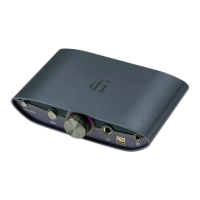
Turn the dial to control the volume. The analogue volume control in ZEN DAC 3 is
superior to any digital volume control. It can be used to control the headphone
volume or the pre-amplifier volume (when set to 'Variable'). If the output at the rear
is set to 'Fixed' the volume control is bypassed.
Tip: In normal use, the volume should be controlled at around the 12 o'clock position, and then adjusted
appropriately if this does not meet your needs; also, when using brand new headphones, it is recommended
that the initial volume is controlled at no higher than the 9 o'clock position, and that PowerMatch (1) is set to
"Low" to avoid damage your hearing or equipment.
WARNING: Due to the high power of the ZEN DAC 3, always start off at a low volume level so that there is no
risk of damage to your headphones or your hearing. iFi audio is not responsible for any hearing or equipment
damage from misuse.
4. Audio Format LED (kHz)
The LED colour scheme indicates the audio format and sampling frequency received
by ZEN DAC 3 from the music source.


 To Next Page
