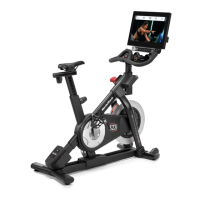
What to do if iFIT NordicTrack S22i Exercise Bike console does not display correct feedback?
- WWilliam LongAug 7, 2025
If the console of your iFIT Exercise Bike isn't displaying correct feedback, you should adjust the Reed Switch.
What to do if iFIT NordicTrack S22i Exercise Bike console does not display correct feedback?
If the console of your iFIT Exercise Bike isn't displaying correct feedback, you should adjust the Reed Switch.
What to do if iFIT NordicTrack S22i Exercise Bike pedals slip?
If you feel the pedals slip while pedaling on your iFIT Exercise Bike, you should adjust the drive belt.
What to do if iFIT NordicTrack S22i Exercise Bike console freezes?
If the console on your iFIT Exercise Bike doesn't boot up properly, or it freezes and doesn't respond, reset the console to the factory default settings.
Ensure users are informed of precautions; supervised use for those with reduced capabilities.
Keep clear of children/pets, use indoors, on level surface, ensure clearance.
Consult doctor, adhere to weight limit, wear proper attire, maintain posture, stop if pain occurs.
Use as described, inspect parts, proper power connection, careful mounting, manage pedal speed.
Requires two people, clear area, identify small parts, avoid power tools.
Phillips screwdriver, adjustable wrench, rubber mallet, possibly a set of wrenches.
Connect power adapter to cycle, then to outlet, allowing warm-up if exposed to cold.
Details measuring watts, incline system for terrain simulation, and interactive touchscreen console.
Adjust saddle angle, forward/backward for comfort and distance to handlebar.
Move carriage forward/backward for desired seating position.
Adjust saddle height for proper knee bend at pedal's lowest point.
Adjust handlebar height to a comfortable position.
Adjust console upward, downward, or to the side for better viewing.
Insert shoes into cages and adjust toe straps for secure fit.
Attach cleats to cycling shoes and adjust pedal spring tension for clipping in/out.
Clip cycling shoes into pedals by pressing cleats firmly into slots.
Overview of console features, iFIT connectivity, and basic operation.
Procedure for powering the console on and off, and auto-inactivity states.
Guidelines for navigating and interacting with the console's touchscreen.
Connect to a wireless network for iFIT and other features.
Set units of measurement and time zone.
Log into or create an iFIT account to access workouts.
Check for and install firmware updates for improved performance.
Access and modify settings for account, equipment, and general preferences.
Adjust workout features, units, time zone, and active pulse settings.
Check for and install firmware updates for optimal console performance.
Enable Wi-Fi, select network, enter password, and connect the console.
Cleaning, pedal tightening, and general upkeep for optimal performance.
Addressing console power, freeze, or response issues with reset procedures.
Guidance on finding proper intensity levels and measuring heart rate.
Recommendations for warm-up, training zone, cool-down, and workout frequency.
| Display | 22-inch HD touchscreen |
|---|---|
| Incline | 20% |
| Decline | -10% |
| Bluetooth Connectivity | Yes |
| iFIT Membership | Required for full functionality |
| Connectivity | Wi-Fi, Bluetooth |
| Warranty | 10-Year Frame, 2-Year Parts, 1-Year Labor |
| Weight Capacity | 350 lbs |
| Audio | Dual 2-inch speakers |
| Resistance Levels | 24 Digital Resistance Levels |
Loading...