5
UK
4 Switch point setting
There are 2 possibilities:
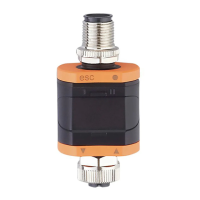
► Connect the SC teach button (order no. E40212) and press the button for the
specified time.
► Or apply the operating voltage (+UB) to pin 5 for the specified time.
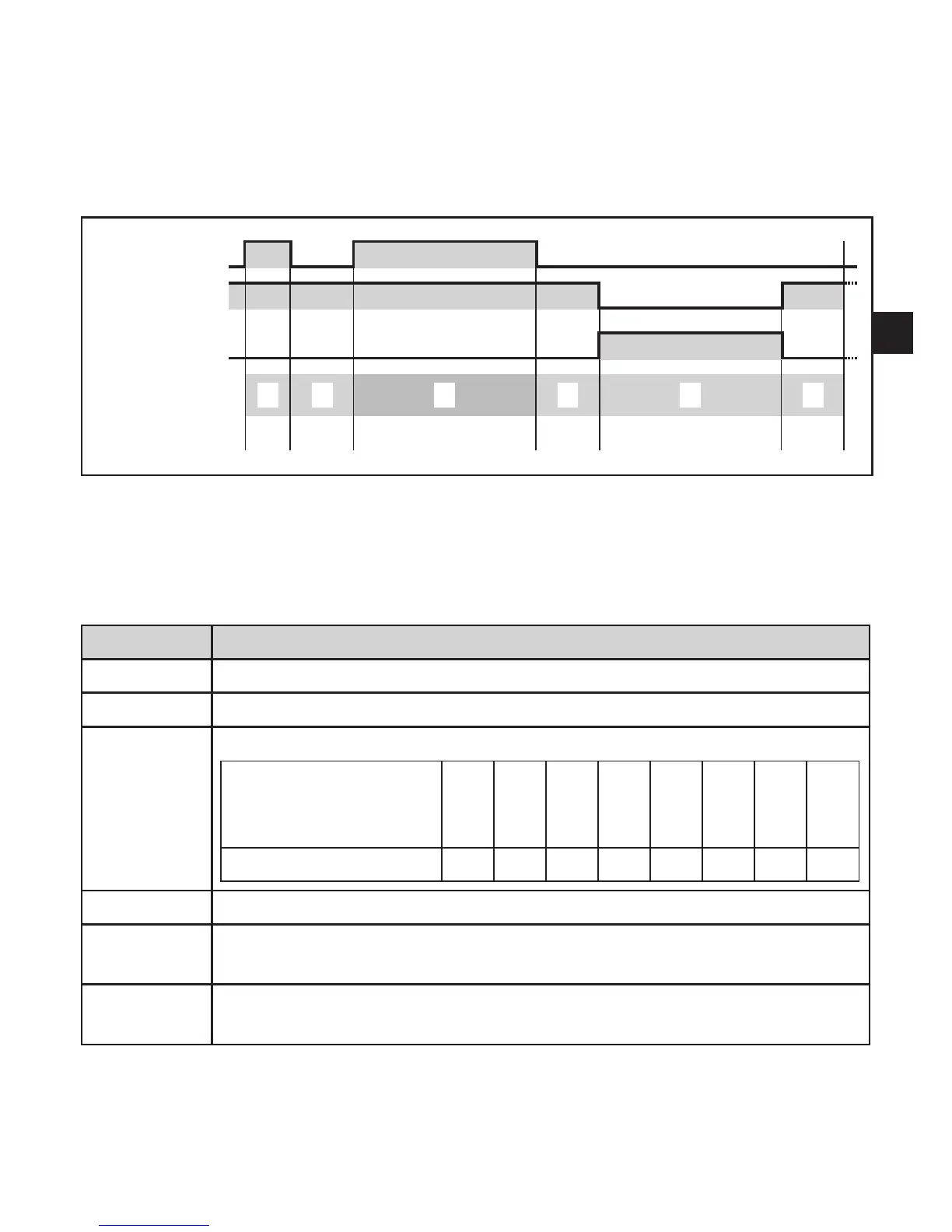
IN (pin 5)
OUT = 1
OUT = 0
Time window
Duration [s]
Within the time windows A, B, C the output is switched depending on the flow: output closed
(OUT=1)ifflow≥SP/outputopen(OUT=0)ifflow<SP.
If the flow rises or falls within the time windows A, B, C, the switching status can change.
InthetimewindowsD,E,Ftheoutputisusedforfeedbacksignals(→tablebelow).Itdoes
not react to flow changes.
Time window Operation
A Inititalisation of the setting operation
B Confirmation of the initialisation
C Switch point (SP) setting*
pressing the teach
button or signal +UB at
pin 5 in seconds
5 10 15 20 ... 55 60 65
results in SP in cm/s Min 10 15 20 ... 55 60 Max
D Last switching status from C is maintained (= internal monitoring).
E Output signal is inverted (confirmation of the setting); duration = setting
time of the selected switch point).
F Output signal is inverted again (= internal monitoring).
After this SP
NEW
is active.
*Accuracy:±1s;factorysetting→1Functionandfeatures
Min < 10 cm/s; Max > 60 cm/s


 To Next Page