IO-Link Master with Modbus TCP Interface DataLine 4 Ports IP 65 / IP 66 / IP 67
>
9.1.5 IoT: Configure the interface to LR AGENT or LR SMARTOBSERVER
34048
To enable transfer of process data from the IO-Link master to LR AGENT or LR SMARTOBSERVER,
the interface has to be configured accordingly.
► Select [IoT] menu.
> The menu page shows the current settings.
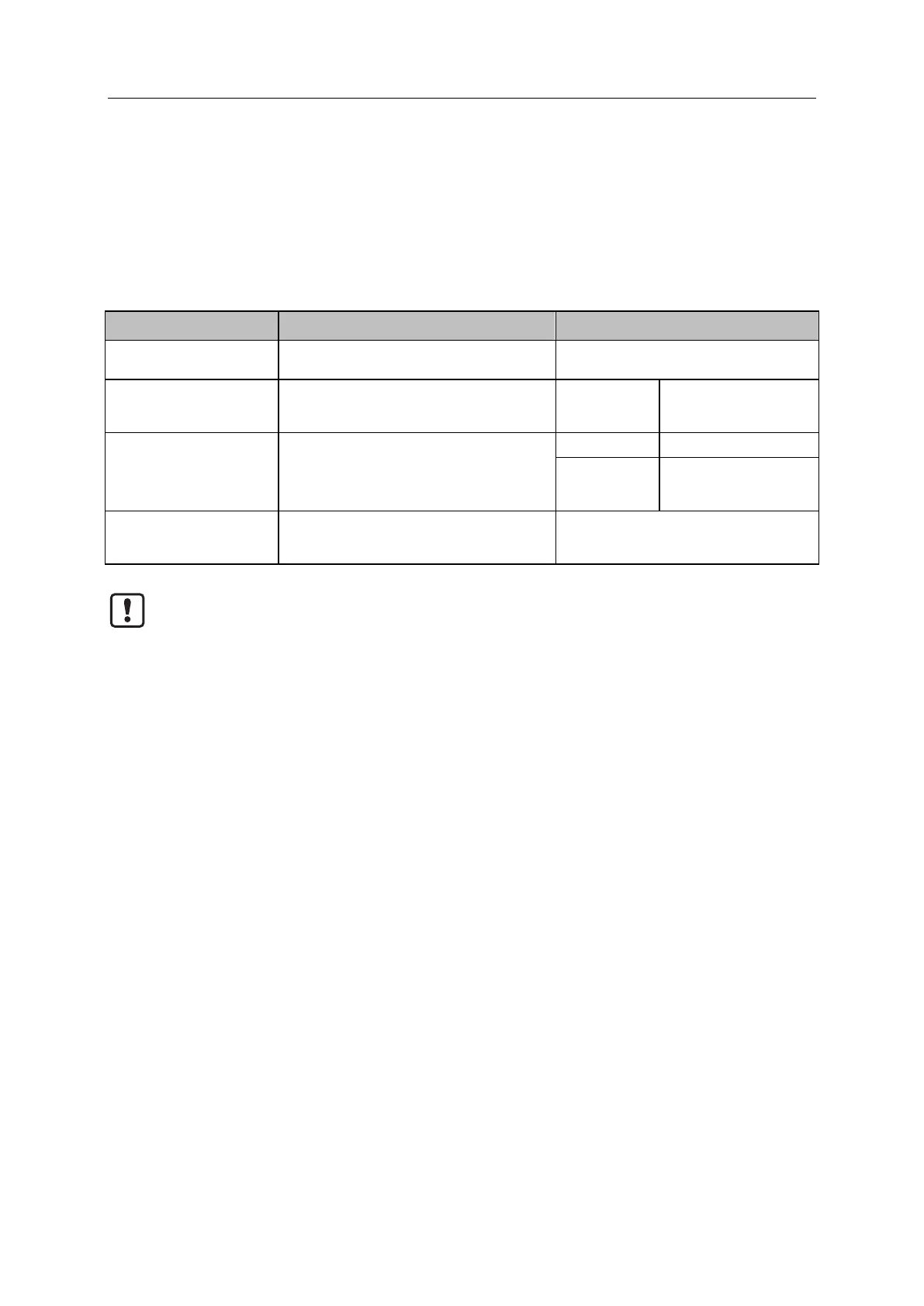
► Set the following parameters as required:
[IP address LR Agent or
SMARTOBSERVER]
IP address of LR AGENT or
LR SMARTOBSERVER
Factory setting: 255.255.255.255
[Port LR Agent or
SMARTOBSERVER]
Port number that is used to send process data
to LR AGENT or LR SMARTOBSERVER
[Interval LR Agent or
SMARTOBSERVER]
Cycle time for the transfer of the process data to
LR AGENT or LR SMARTOBSERVER (value in
milliseconds)
Source identifier of the IO-Link master in the
structure of LR AGENT or
LR SMARTOBSERVER (String32)
After changing the parameter [Port LR Agent or SMARTOBSERVER] or [Application Tag], it
may take 120 seconds before the device establishes a new TCP connection.
To prevent the delay:
► Reboot the device after changing the the parameter.
► Save changed values on the device.


 To Next Page