Take Calls
1. Press the Play button to answer an incoming call.
2. Press and hold the Play button for three seconds to send an
incoming call to your voicemail.
3. Press the Play button during a call to disconnect.
4
Charge
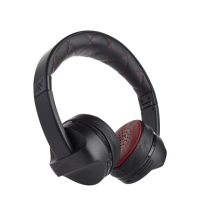
To charge your Impulse Wireless headphones, connect the
micro USB end of the included charging cable to the port
under the left ear cup and the USB end to your preferred USB
outlet. The LED will light red while your Impulse are charging.
It will turn o when they are fully charged.
5
impulse wireless instructions


 To Next Page