The IFROGZ VoiceBoost Soundbar 2.0 is an 18-inch soundbar designed to enhance dialogue and voices in TV audio while dampening background noises, making speech clearer and easier to understand. This device aims to upgrade any TV's speaker by bringing the most important audio to the forefront.
Function Description:
The VoiceBoost Soundbar 2.0 instantaneously analyzes sound coming from the TV to amplify and clarify only the most important parts, specifically dialogue and voices. When the volume is increased, the clarity of speech is also enhanced. It supports multiple audio input options including optical, AUX (3.5mm jack), RCA, and USB for music playback. Additionally, it features Bluetooth® connectivity for streaming music and video audio from phones or other Bluetooth-enabled devices. The soundbar can be placed on a level surface in front of the TV or mounted on a wall.
Important Technical Specifications:
- Size: 18-inch soundbar.
- Dialogue Enhancement Technology: Proprietary technology to boost dialogue and voices while reducing background noise.
- Audio Inputs:
- Digital Optical Audio (recommended for most TVs)
- AUX Audio Input (3.5mm jack)
- RCA Audio Input (requires RCA to 3.5mm cable)
- USB (for music playback from USB sticks only; supports .wav, .mp3, .aac formats)
- Wireless Connectivity: Bluetooth® for streaming audio from compatible devices.
- Power: DC IN (power cable included, with RED label).
- Controls: On-device buttons for Volume control (+/-), Power, VoiceBoost activation, and Input selection. Remote control included for comprehensive functionality.
- Input Indicators:
- Optical Input: YELLOW light
- AUX Input: GREEN light
- USB Input: PINK light
- Bluetooth Pairing Mode: Indicated by a specific light pattern (not explicitly stated but implied by input selection).
- VoiceBoost Feature: WHITE light on the VoiceBoost logo when activated.
- Automatic Standby: Enters Standby Mode if no audio signal is detected for 30 minutes. Any command from the remote or an audio signal will automatically turn the soundbar on.
Usage Features:
- Easy Setup: Color-coded cable bags and matching port labels on the soundbar simplify the connection process.
- Multiple Connection Options:
- Digital Optical Cable: Recommended connection for TVs with optical output. The optical cable is provided in a BLUE labeled bag. Users must ensure the cable is inserted in the correct orientation.
- AUX / 3.5mm Jack Out: For TVs with a 3.5mm audio output. The 3.5mm to 3.5mm cable is provided in a YELLOW labeled bag.
- RCA Out: For TVs with RCA audio output. The RCA to 3.5mm cable is provided in a YELLOW labeled bag and has red/white ends.
- Cable/Satellite Box Connection: Allows direct connection to a cable or satellite box's audio output (typically RCA) using the RCA to 3.5mm cable.
- Remote Control: A comprehensive remote control is included, offering:
- Power on/off.
- Volume control (increase/decrease).
- Input selection (cycle through Optical, Aux, Bluetooth, USB).
- Bluetooth input switch.
- Mute/unmute function.
- Play/Pause for media playback.
- Track Previous/Next for media playback.
- Dedicated VoiceBoost Feature button to toggle dialogue enhancement on/off.
- Bluetooth Connectivity: Simple pairing process by pressing the BT button on the remote and selecting "IFROGZ Soundbar 2.0" in device settings. A "ding" sound confirms successful connection.
- USB Playback: Allows playback of music files (.wav, .mp3, .aac) directly from a USB stick plugged into the soundbar's USB port. Note that USB playback is only for music files from a USB stick, not for connecting phones or other devices.
- Placement Flexibility: Can be placed on a flat surface in front of the TV or wall-mounted. For optimal performance, the front of the soundbar should face the viewers.
Maintenance Features:
- Cleaning: While not explicitly detailed in the provided text, general electronic device maintenance practices would apply, such as keeping the device free from dust and debris.
- Troubleshooting: The manual provides contact information for customer support (online and phone) for assistance with any issues.
- Warranty: Information regarding warranty policies is available on the manufacturer's website.
- Mounting Responsibility: If wall-mounting, it is the owner's responsibility to ensure the soundbar is mounted safely and securely, and that the mounting hardware can handle a minimum of 7lbs per point. Mounting hardware is not included.
- FCC Compliance: The device complies with FCC rules, including Part 15, and includes standard disclaimers regarding interference and modifications. Users are advised to consult the dealer or an experienced radio/TV technician for help with interference issues.

 Need help?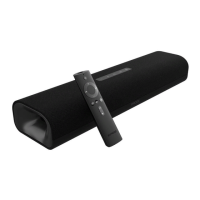

 To Next Page
 General