EasyManua.ls Logo

iGenix IG8225 - User Manual

iGenix IG8225
12 pages
Print Icon
To Next Page IconTo Next Page
Loading...
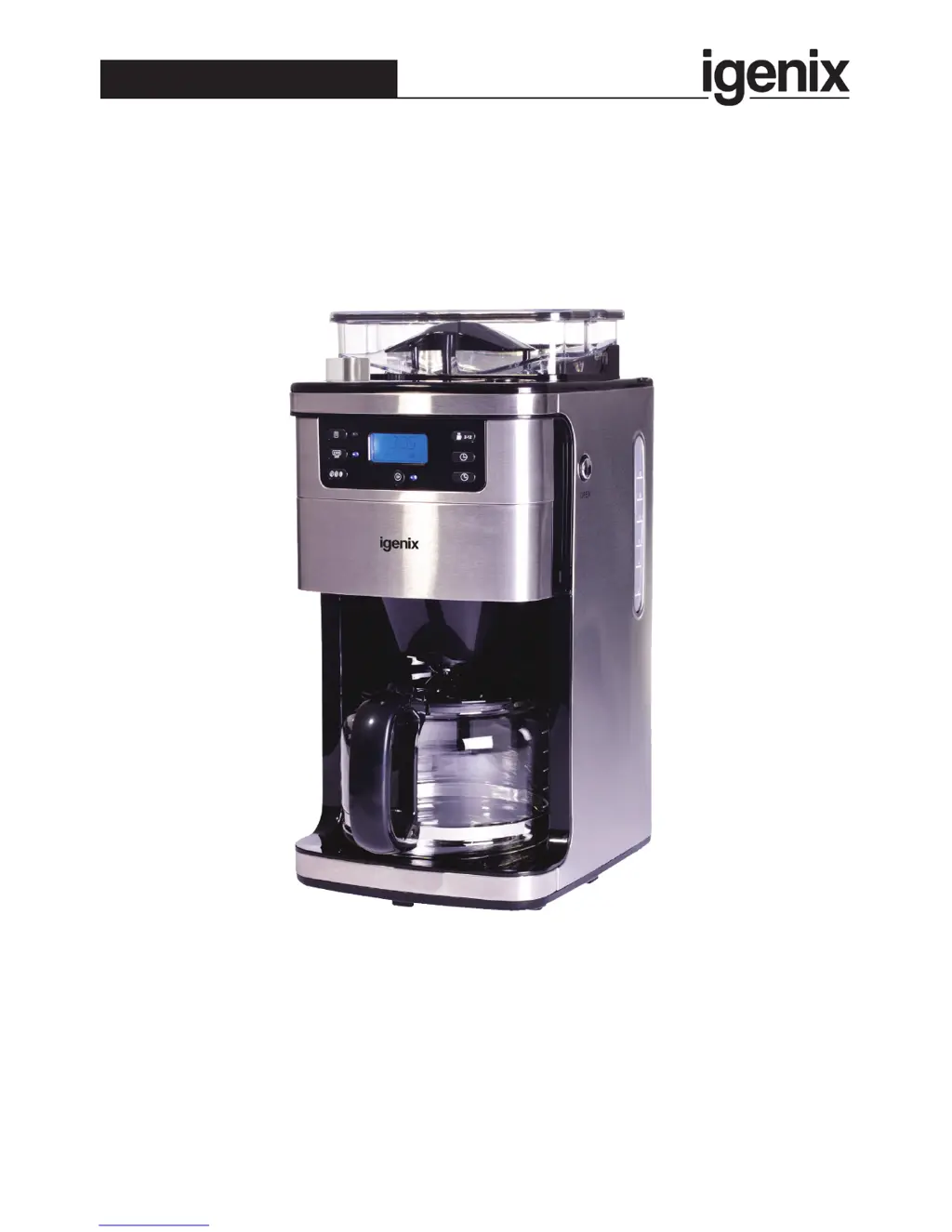
IG8225
Digital Filter Coffee Maker
with Integrated Bean Grinder
USER MANUAL
Please read these instructions carefully before use and retain for future reference
Before switching on you appliance
Always check for any damage which may have been caused in transit
Batch Code:

Questions and Answers

  • J
    John FarmerAug 2, 2025
    How to fix an iGenix IG8225 Coffee Maker that does not work?
    • X
      xgregoryAug 2, 2025
      If your iGenix Coffee Maker isn't working, start by ensuring the mains plug is properly inserted. Then, check the fuse and replace it if needed. If the socket itself is defective, it's best to have an electrician correct the issue.
  • T
    Tina NealAug 6, 2025
    Why is my iGenix IG8225 producing less coffee than selected?
    • A
      Ashley ClarkeAug 6, 2025
      If your iGenix Coffee Maker is producing less liquid than expected, the water tube may be blocked, needing descaling, consult the “Cleaning and Maintenance” section in the instruction manual. Also, ensure the automatic start function hasn't been accidentally set; refer to the instruction manual to cancel it. Check the funnel to make sure the filter isn’t damaged and allowing lumps of coffee powder to form.
  • D
    Diana GonzalezAug 11, 2025
    What to do if my iGenix IG8225 makes fewer cups than indicated?
    • J
      Jennifer BlackwellAug 11, 2025
      If your iGenix Coffee Maker is making fewer cups of coffee than the water gauge indicates, this could be because the coffee powder absorbs some water during filtration; add a little more water than the gauge suggests, but do not exceed the maximum. Also, ensure the anti-drip valve at the bottom of the funnel is released by closing the glass jug lid before placing the jug in the correct position.
  • C
    Cindy RossAug 16, 2025
    Why are the beans not grinding properly in my iGenix IG8225?
    • B
      Brittany PerezAug 17, 2025
      If the beans in your iGenix Coffee Maker aren't grinding properly, it could be because they are being stored incorrectly and collecting condensation. Store beans in an airtight container in a cool, dark place to keep them dry.
  • C
    Cory AguirreAug 21, 2025
    Why is the coffee powder not dissolving properly in my iGenix Coffee Maker?
    • K
      Kara SmithAug 21, 2025
      If the coffee powder in your iGenix Coffee Maker isn't dissolving properly, it might be damp and clumping due to condensation. Store coffee powder in an airtight container in a cool, dark place to keep it dry, and only use dry coffee powder.
  • H
    Heather TaylorAug 27, 2025
    Why are there water droplets on the control panel of my iGenix IG8225?
    • R
      reginaramosAug 27, 2025
      If you notice water droplets (condensation) on the control panel of your iGenix Coffee Maker, it's likely due to condensation gathering after continuous use. Allow the appliance to cool down after each use to prevent this.

Summary

IMPORTANT SAFETY INSTRUCTIONS

KNOW YOUR COFFEE MAKER

Control Panel

Details the buttons and display of the coffee machine's control interface.

BEFORE FIRST USE

Making Coffee Using Coffee Beans

Making Coffee with Pre-Ground Coffee

Automatic Start Function

Cancelling a Pre-Set Program

CLEANING AND MAINTENANCE

DESCALING

HINTS FOR GREAT TASTING COFFEE

DISPOSAL INFORMATION

TROUBLE SHOOTING

Igenix Warranty Terms & Conditions

iGenix IG8225 Specifications

General IconGeneral
BrandiGenix
ModelIG8225
CategoryCoffee Maker
LanguageEnglish