The iGET HOME GUARD HGWOB-852 is a 1080P All Weather Wi-Fi Camera designed to provide peace of mind by allowing users to monitor their home or business from anywhere. This quick start guide outlines the setup and features of the camera, making it easy for users to get started with their new security system.
Function Description
The iGET HOME GUARD HGWOB-852 is a robust 1080P all-weather Wi-Fi camera that offers comprehensive surveillance capabilities. Its primary function is to capture high-quality video footage, both day and night, and transmit it wirelessly to a user's device. The camera is equipped with a built-in MicroSD card slot, allowing for local storage of recorded footage, ensuring that important events are always captured. It also features two-way audio, enabling users to not only hear what's happening but also to speak back through the camera's integrated microphone and speaker units. This functionality is particularly useful for interacting with visitors, deterring intruders, or communicating with family members when away from home. The camera is designed for easy do-it-yourself installation, featuring an adjustable mount that helps users achieve the perfect viewing angle and securely lock it in place. Its weatherproof construction ensures reliable operation in various outdoor conditions.
Usage Features
The camera offers a range of features designed to enhance user experience and security.
- Wireless Transmission: The camera connects wirelessly to your router, allowing you to view live footage securely on your PC, smartphone, or tablet from anywhere in the world. This remote access is facilitated through the "Homeguardlive" app, available on both the App Store and Google Play.
- Easy Setup with Homeguardlive App: The setup process is streamlined through the Homeguardlive app. Users first register an account, then add the device by selecting "Outdoor Camera" and following the "Wi-Fi connection by QR code" method. The app guides users through connecting the camera to their Wi-Fi network, including generating a QR code for quick pairing.
- 1080P HD Video: The camera captures full-color, high-quality 1080P video during the day. At dusk, it automatically switches to infrared (B&W) mode, continuing to record clear 1080P video even in total darkness, ensuring continuous surveillance around the clock.
- Two-way Audio: With built-in microphone and speaker units, the camera allows for two-way communication. Users can hear what's happening in the camera's vicinity and speak back through the app, which is useful for interacting with people at the monitored location.
- Built-in MicroSD Card Slot: Users can insert a MicroSD card into the camera to record and store footage locally. This provides a reliable backup and ensures recordings are available even if the internet connection is temporarily lost.
- LED Status Indicator: The camera includes an LED indicator that displays its operational status with different colors and blinking patterns. This helps users quickly understand if the camera is powering up, ready to connect, receiving Wi-Fi signals, connected to the network, or undergoing a factory reset.
- Remote Viewing on PC: In addition to smartphone and tablet access, the camera supports viewing from Mac or Windows PCs by installing the Homeguardlive software from the included CD. This offers flexibility for users who prefer monitoring on a larger screen.
- App Interface: The Homeguardlive app provides a user-friendly interface with several functions:
- Split-screen view: To access multiple camera feeds simultaneously.
- Live Video: To start live viewing of the camera feed.
- Device Name and ID: Displays the camera's name and cloud ID for easy identification.
- Add Device: To add more cameras to the system.
- Device Status: Shows the camera's network status.
- Setting: Accesses camera settings for customization.
- Replay: Plays recorded video from the memory card.
- Resolution: Allows users to change video quality between SD and FHD.
- Mute/Unmute: Controls audio output from the camera.
- 2-way talk: Activates the microphone for two-way communication.
- Record: Saves video clips from the live feed.
- Capture: Saves images captured from the live feed.
- Share: Shares camera access with other users.
- Full screen: Views the feed in full screen.
- Alert: Accesses the alert list for notifications.
- Alerts: Accesses alert information page.
- Me: Accesses account information page.
Maintenance Features
The iGET HOME GUARD HGWOB-852 is designed for minimal maintenance, focusing on durability and ease of use.
- Weatherproof Casing: The camera features a resistant polycarbonate casing, making it suitable for all weather conditions and reducing the need for frequent checks or protection from the elements.
- Reset Button: If the camera encounters connectivity issues or needs to be reconfigured, a reset button is provided. To reset, users simply press and hold the button until the LED turns yellow, restoring it to factory default settings. This simplifies troubleshooting and re-pairing.
- Self-Contained Storage: The built-in MicroSD card slot allows for local storage, reducing reliance on external storage solutions and simplifying data management. Users can easily access and manage recorded footage directly from the card.
- Remote Monitoring and Alerts: The Homeguardlive app provides remote access to the camera's status and alerts, allowing users to monitor its performance and address any issues promptly without needing physical access to the camera. This proactive monitoring helps in maintaining optimal camera operation.

 Need help?
 Power
Power Camera
 Weight and Dimensions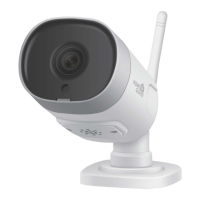

 To Next Page