15
CZ
SK
EN
PL
HU
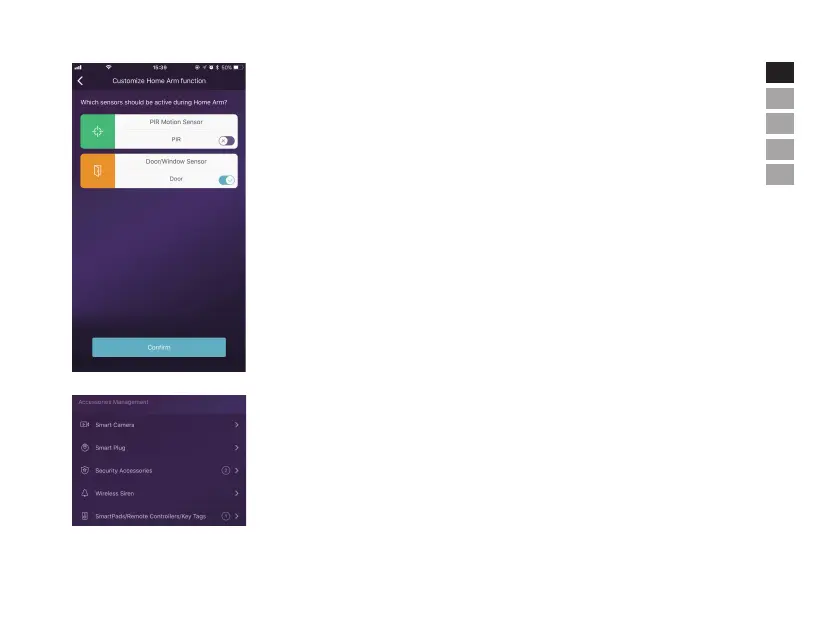
• Home Arm Settings
- When users are at home and only want to keep some sensors working, they could turn to Home Arm
status in App.
- When users tapping [Home Arm] button at the first time, the system would guide you to setup. Users
just need to decide which sensor should workby tapping in App.
- Only those sensors support Home Arm feature would be listed here.
• Accessories Management
- All accessories would be listed in [Device Setting]-[Accessories Management], and would be sorted
by their types.
- Users can add, remove, and modify their settings in this area.
- Users can also control their cameras and plugs in one App.


 To Next Page