16
CZ
SK
EN
PL
HU
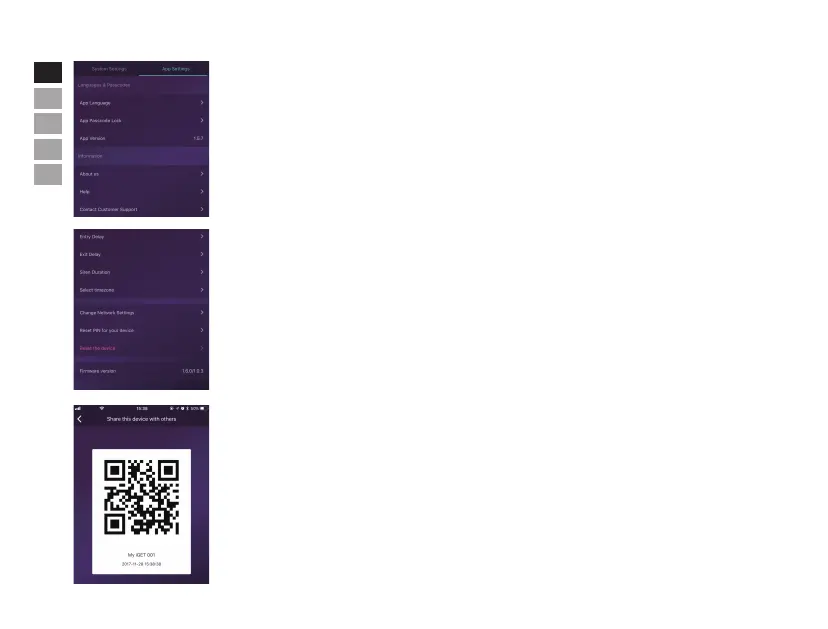
• App Settings
In this area, users can do following settings:
- Change App Language: It supports multi-languages which can be easily switched in App immediately.
- Passcode Lock: By enabling this feature, you would be asked to enter the passcode every time when App
is activated from the background. In iPhone, the Touch-ID feature would be supported so users can use their
fingerprints to use this App.
- Help & Feedbacks: Users can watch some tutorials online and also send feedbacks to our company directly in
App.
• Advanced Settings
In this area, users can do following settings:
- Entry Delay: Users can decide which sensors’alarm signal should be held for preset time until the alarm
goes off.
- Exit Delay: By enabling it, the system would wait for the preset time before really working when
the ARM or HOME ARM button is pressed.
- Siren Duration: It defines how long the built-in siren should keep blaring while alarming.
- Network & Password Settings: It allow store set the networking para meters or the system password.
• Share with Others
The owners can easily share their devices with the family members or friends, even they have not installed
the App yet.
- [Device Settings]-[Share Device] would generate a unique QR code which is linked to the current main box and
the assigned authorities.
- Users can send this QR code to others by Facebook or Whatsapp.
- Scanning the QR code, users could launch the App if it has been installed before, or go to App Store or Google
Play to install the App.
- When the App is launched in the invited users’ phone, the sharing main box would be added into their App.


 To Next Page
 Loading...