15
CZ
SK
EN
PL
HU
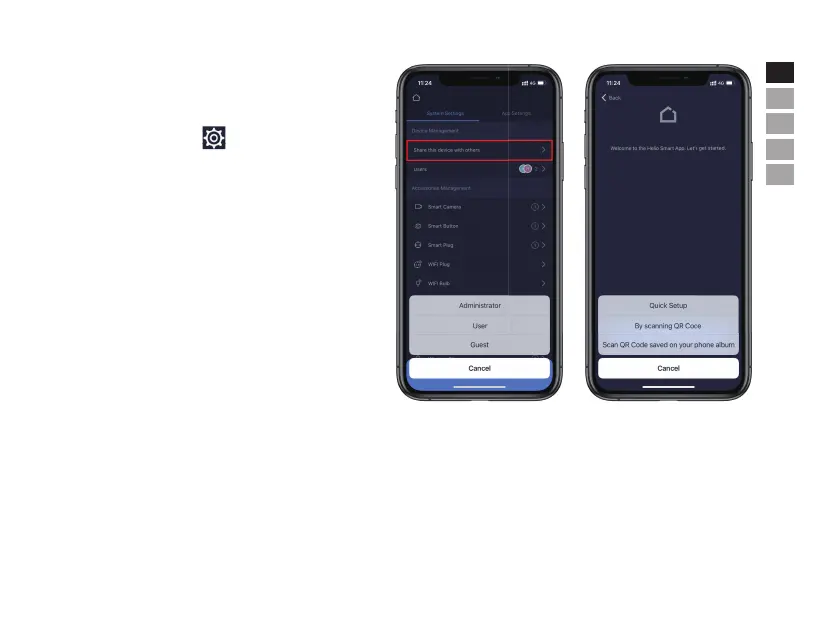
• Share with Others
The owners/administrators can easily share their devices with
the family members or friends.
-Press the top right corner on the dashboard page/home
page.
-Press [Share this device with others] should generate a unique
QR code which contains the identification of shared panel and
the assigned authority.
-Users can send this QR code to others. By launch the iGET M5
APP, others can click [Device List] - [System - Management],
click the [+]icon on the top right corner and select [Add a new
device] to add the shared panel to their APP.
-Press the top right corner on the dashboard page/home


 To Next Page