16
CZ
SK
EN
PL
HU
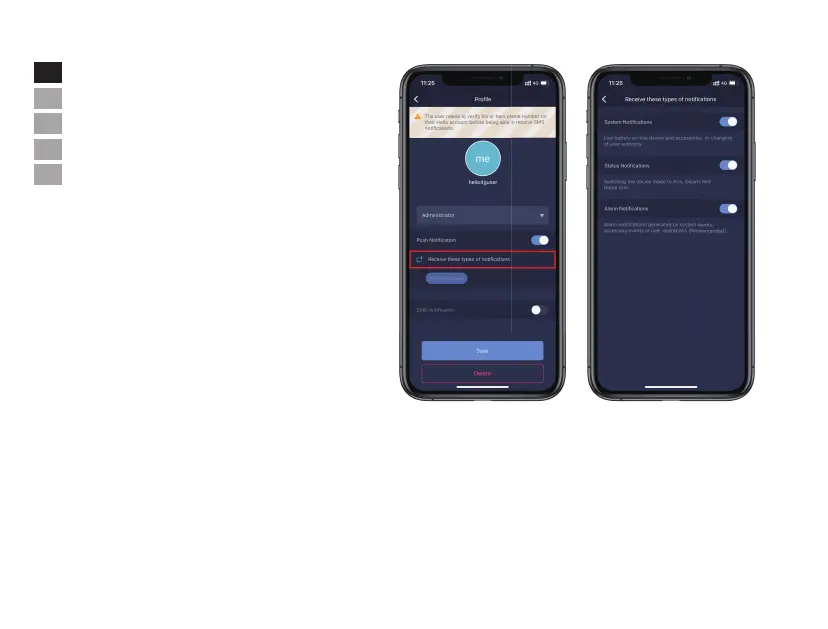
• Emergency Contacts Settings
- Select [Users] from [System Settings] page.
- All App users are listed in Emergency Contact list automatically.
- Users can add mobile phone numbers in [Other Contacts] list.
- For the App users, the [Push Notification] option is enabled by
default, while the [SMS Notification] is disabled by default.
(SIM card required)
- For other contacts, the [SMS Notification] is enabled by default.
- When an emergency occurs, the App users should get push
notifications, while other users get alert SMS message sent from
the panel.


 To Next Page