17
CZ
SK
EN
PL
HU
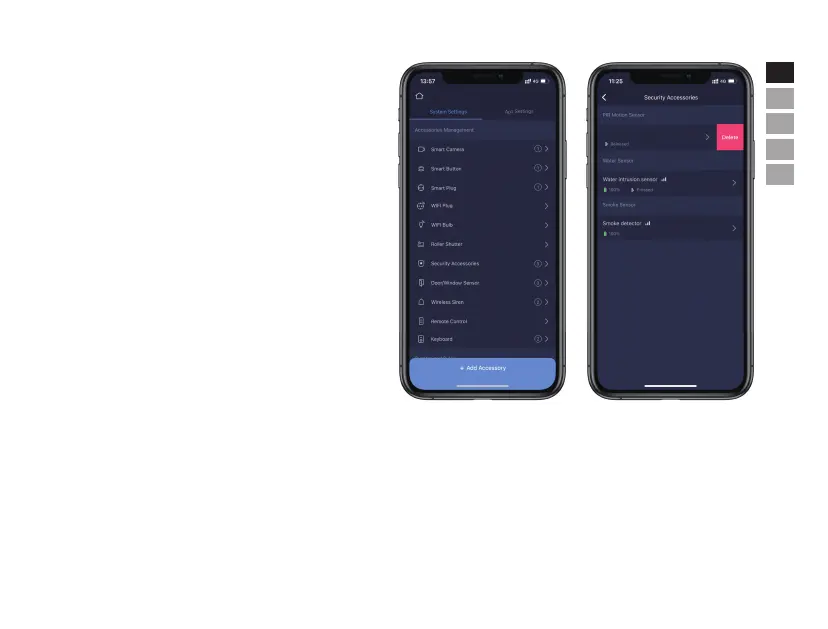
• Accessory Management
Users can add, remove, and modify their settings here, also
control their cameras and plugs in the App.
- Status supervision
- Rename
- Siren Setting
- Delete: choose the accessory to be removed from the system,
and slide the column to the le until a [Delete] button appears.
Click the [Delete] button and confirm to finalize the removal.


 To Next Page