20
CZ
SK
EN
PL
HU
• CMS Configuration
This function allows you to have an access to Central Monitor Station in the event that the system is triggered. The M5 alarm panel supports
CMS using SIA DC-09 protocol, message format Contact ID via UDP or TCP port. Please contact your installer the CMS company for all the
necessary information.
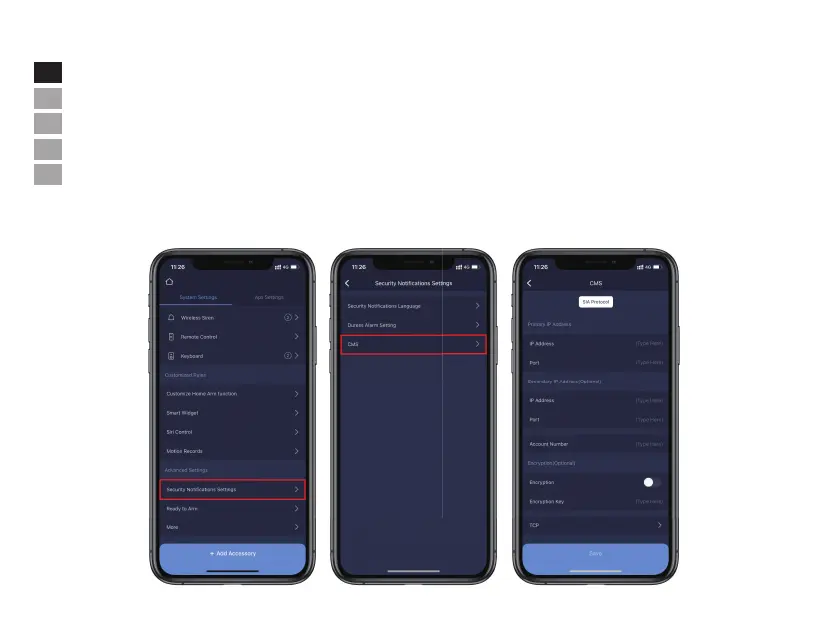
-Press [Security Notifications Settings].
-Tap [CMS] and input the information: IP Address, Port(UDP or TCP) No, Account Number.
-If encryption is applied(optional), it can be enabled to input the encryption key.
Note: Please contact your installer or CMS company for all necessary information.


 To Next Page