10
Power Up
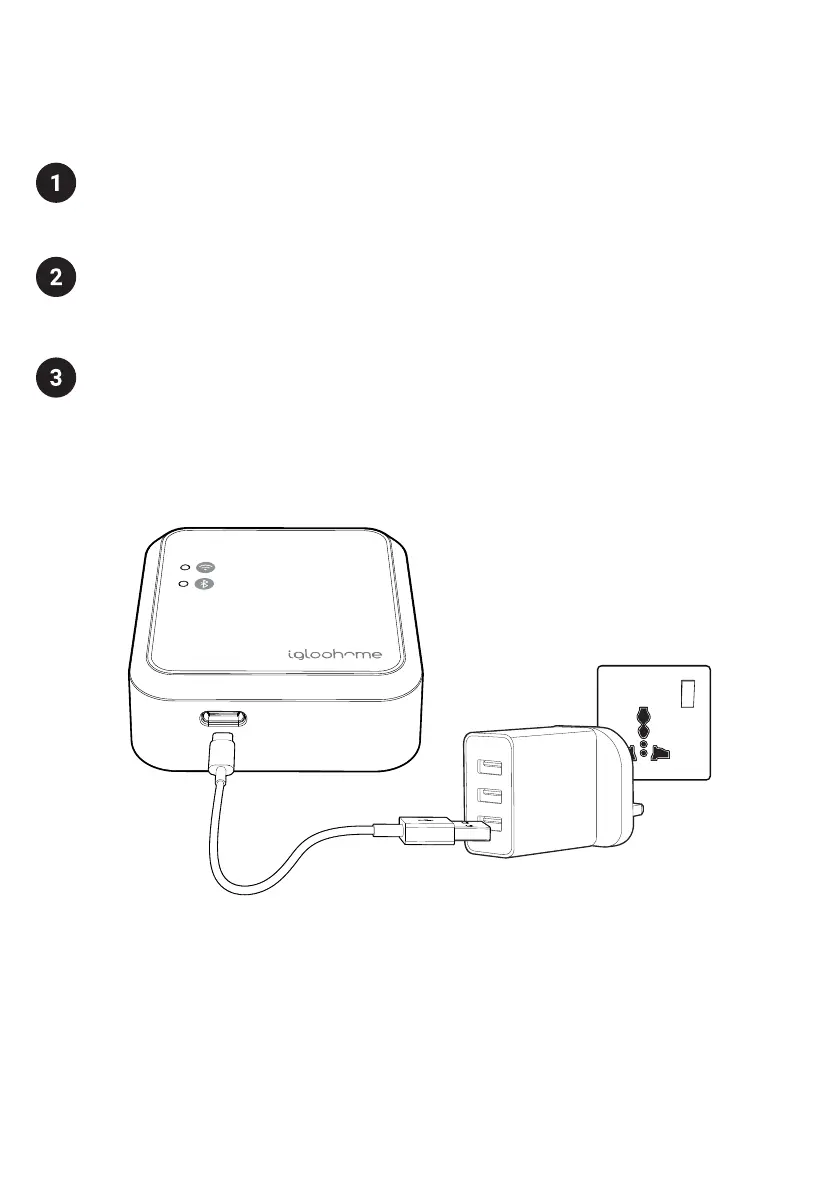
Plug in the USB-C end of the provided USB cable into the USB-C port on the Bridge.
Insert the other end of the cable into a USB-A Power Adapter* and then plug the
adapter into a power outlet.
After powering on the Bridge, it will take about a minute to initialize (the LEDs will
not be on during this time). When the Bridge has completed initialization, it will go
into “Ready to Pair” mode with both WiFi and Bluetooth LEDs blinking.
Bridge will stay in this mode for 10 minutes.
If the Bridge is not configured within 10 minutes, both LEDs will stop blinking. Press
the Multi-function button once to put the Bridge back into “Ready to Pair” mode.
*NOTE: Power adapter is not included. Please ensure you use a Power Adapter
with stable power output of 5V, 1A. Product performance may be impacted by
inconsistent power supply from the Power Adapter.


 To Next Page