Quick-start guide
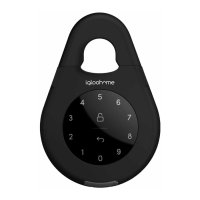
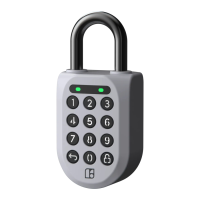
Test your Keybox
Tap 1234 to unlock the Keybox. Your
Keybox is now ready for set up!
Set up your Keybox as shown in the
section ‘Using keybox on app’
To unlock Keybox
‧Key in generated PIN code, or
‧ Use Bluetooth Unlock on app
To lock Keybox
‧ Close the Keybox and it will lock
automatically after 1 second
App Programming
1. To change Master PIN code:
Home > Select Lock > Lock Info >
Second tab on bottom (PIN) > Master
PIN > ‘Edit’ icon > Enter PIN code (6-8
digits) > Re-enter PIN code > Conrm >
Press any key on your lock
2. To create custom PIN code:
Home > Select Lock > One-Time PIN
or Duration PIN > Choose Duration(for
Duration PIN) > Enter visitor name >
Add PIN
3. To create and share Bluetooth Key
Home > Select Lock > Lock Info >
Third tab on bottom (Bluetooth Key) >
‘Add’ icon > Enter details > Create Key
> Send Key
4. Reset lock
Home > Select Lock > Lock Info >
Fourth tab on bottom (Status) > Scroll
to the bottom > Clear PIN list > OK
Note: Clearing PIN list will remove all
generated PIN codes, but Master PIN
will remain.
Keybox programming
1. To change generated ad hoc PINs
to 6 digits of your choice:
On Keybox, key in Ad hoc PIN and
press for 2 seconds > 1 0 and tap
> Ad hoc PIN and tap > New user
PIN (6 digits) and tap > Repeat new
user PIN (6 digits) and tap
Note: PIN change will not be reected
on app


 To Next Page