EasyManua.ls Logo

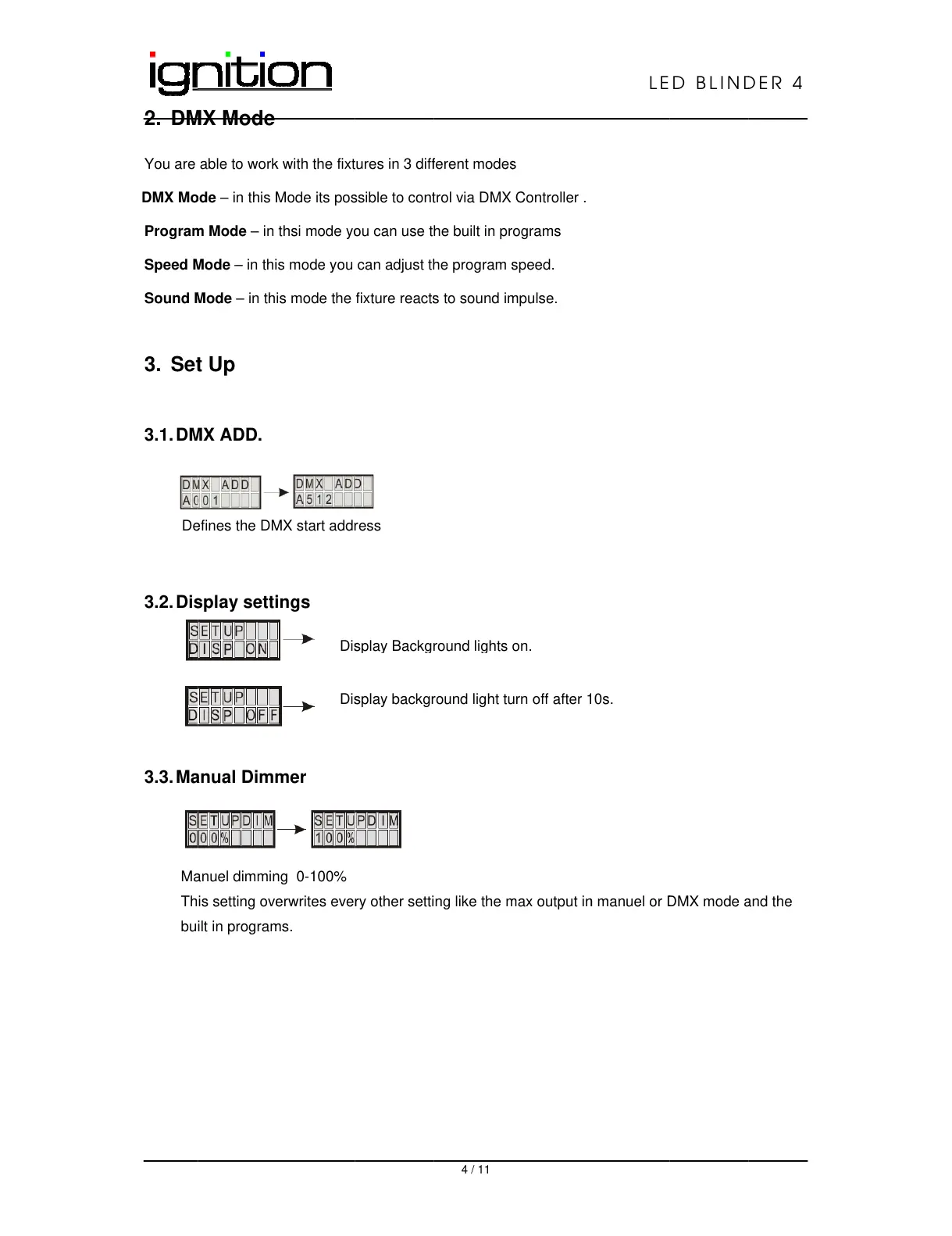
Ignition LED Blinder 4 - DM MX Mode; Set T up; DMX Add; Display Se Ttings

Ignition LED Blinder 4
11 pages
Print Icon
To Next Page IconTo Next Page
To Previous Page IconTo Previous Page
Loading...
2. D
M
You are
DMX M
o
Progra
m
Speed
M
Sound
M
3. Se
t
3.1. D
M
D
e
3.2. Di
s
3.3. M
a
M
a
Th
bu
M
X Mode
able to wor
k
o
de – in this
M
m
Mode – in
M
ode – in th
i
M
ode – in th
t
Up
M
X ADD.
e
fines the D
M
s
play sett
i
a
nual Dim
m
a
nuel dimmi
n
is setting ov
e
ilt in progra
m
k
with the fix
t
M
ode its po
s
thsi mode y
o
i
s mode you
is mode the
M
X start add
r
i
ngs
m
er
n
g 0-100%
e
rwrites eve
r
m
s.
Di
s
Di
s
t
ures in 3 dif
f
s
sible to con
t
o
u can use t
can adjust t
h
fixture react
s
r
ess
r
y other setti
sp
la
y
Back
gr
s
play backg
r
4 / 11
f
erent mode
s
t
rol via DMX
he built in p
r
h
e program
s
s
to sound i
m
ng like the
m
r
ound li
g
hts
r
ound light t
u
s
Controller .
r
ograms
s
peed.
m
pulse.
m
ax output i
n
on.
u
rn off after
1
LE
n
manuel or
D
1
0s.
D BLIN
D
D
MX mode
a
D
ER 4
a
nd the
All manuals and user guides at all-guides.com

Related product manuals