Need help?
Do you have a question about the Igo HAV-R200G and is the answer not in the manual?
Lists all accessories included with your IGO Audio HOME THEATRE RACK SYSTEM.
Important instructions to prevent personal injury and product damage during use.
General operational notes, warnings about heat, contact, magnetism, and disposal.
Information on SRS Labs trademarks and incorporated technology.
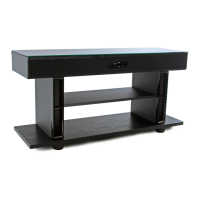
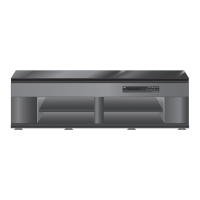
Overview of the unit's front view, control panel, and key components.
Guidelines for placing and connecting external devices like TVs and players.
Methods and precautions to prevent the TV from falling or toppling.
Instructions on using the topple-prevention belt and screws for stability.
Detailed steps for connecting a TV and a player using optical or pin cables.
How to connect various audio players using optical or pin cables.
Proper procedure for connecting the power cord to the unit and wall outlet.
Instructions for inserting batteries into the remote control for operation.
Steps to turn on the unit and check the standby/input indicators.
How to select input sources and adjust volume levels for audio playback.
Guide to controlling the volume level and selecting BASS boost settings.
Instructions on how to temporarily mute the audio output.
How to turn on the SURROUND mode for an immersive audio experience.
Lists the audio formats supported by the unit, specifically for optical input.
Basic checks for power, batteries, and connections to resolve issues.
Explains common sounds or heat that do not indicate a malfunction.
Guide to finding solutions for specific operational symptoms.
Procedure to reset the theatre rack in case of freeze-up or unresponsiveness.
Troubleshooting common operational problems like no sound or interrupted sound.
Definitions of technical terms like PCM, Sampling frequency, and SRS.
Specifications for different models, power source, and consumption.
Physical dimensions and maximum weight limits for shelf boards.
Details on mass, speakers, input terminals, and amplifier output power.
Information on operating environment and included accessories.
 General
| Brand | Igo |
|---|---|
| Model | HAV-R200G |
| Category | Racks & Stands |
| Language | English |


 To Next Page