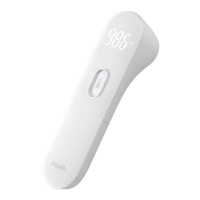
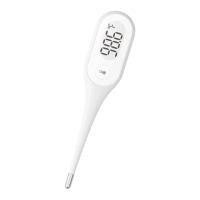
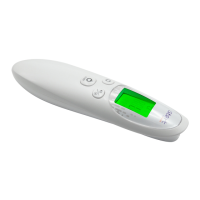
The iHealth Thermometer User's Manual describes the Infrared Digital No-Touch Thermometer (PT2L), a high-tech infrared (IR) device designed for easy and quick human body temperature assessment. This thermometer measures the IR energy emitted from the forehead, allowing users to monitor their health conditions. It is intended for intermittent measurement of body temperature from the central forehead skin surface on people of all ages, suitable for both household environments and healthcare providers.
Function Description
The PT2L thermometer operates by detecting infrared energy, which is then converted into a temperature reading. It is designed for non-contact measurement, requiring the user to aim the thermometer probe at the center of the forehead without touching the skin. The optimal measurement distance is no more than 3cm (1.18in) from the forehead, approximately the width of an adult's index finger. Once positioned, a gentle press of the measurement button initiates the reading. The device performs a self-check upon battery installation, displaying an LCD screen and beeping once before powering off automatically.
The thermometer includes several indicators on its LCD display:
- Temperature display area: Shows the measured temperature.
- Temperature state indication: Provides visual cues related to the temperature reading.
- Buzzer: Emits an audible signal when a reading is obtained. This feature can be toggled on or off.
- Low power reminder: An icon appears when the battery capacity is low but sufficient for measurements. If the battery is too low, a flashing icon will appear, and the device will automatically switch off after 8 seconds, indicating that batteries need replacement.
- Celsius/Fahrenheit indication: Displays the temperature unit being used (°C or °F), which can be switched by the user.
The device also provides visual feedback on temperature status:
- A happy face icon appears when the measured temperature is below 37.5°C (99.5°F).
- A neutral face icon appears when the temperature is between 37.5°C (99.5°F) and 38.0°C (100.4°F).
- A sad face icon appears when the temperature is 38.0°C (100.4°F) or higher, indicating a potential fever.
If a measurement fails, the beeper will not sound, and the screen will display "--" instead of a temperature reading. This can occur if the environment temperature is outside the measurement requirements, if there is an excessively large temperature difference, or if the target temperature exceeds the measurement range.
Usage Features
The PT2L thermometer is designed for user convenience and accuracy.
- No-touch measurement: Reduces the risk of cross-contamination and makes it comfortable for subjects of all ages, including children.
- Automatic power-off: The device automatically powers off after 8 seconds of inactivity, conserving battery life.
- Unit switching: Users can easily switch between Celsius (°C) and Fahrenheit (°F) units to suit their preference. This is done by holding the measurement button after setting the buzzer prompt switch, allowing the unit symbols to alternate.
- Buzzer prompt switch: The audible beep after a measurement can be enabled or disabled, offering flexibility for use in quiet environments.
- Battery replacement: The battery compartment is easily accessible by sliding the cover backward. The device uses two 1.5V AAA batteries. Proper polarity must be observed during installation.
- Measurement consistency: While continuous measurements may fluctuate slightly, it is recommended to take only up to 3 continuous readings within a short period to maintain accuracy, as the subject's body temperature can affect the thermometer.
- Environmental considerations: For accurate readings, it is advised to take measurements in a stable environment, avoiding direct sunlight or air outlets from air conditioning or radiator devices, which can cause changes to forehead temperature. If the thermometer has been stored in an environment with a different temperature than the new ambient environment, it should be allowed to sit in the new environment for 30 minutes before use.
- Subject preparation: Ensure the subject's forehead is free from sweat, cosmetics, dirt, or grease. Patients should avoid drinking, eating, or physical activity for 30 minutes before taking a measurement, as a body in a state of stable equilibrium yields more accurate results. Measurements should not be taken over scar tissue, open sores, or abrasions.
Maintenance Features
Proper care and maintenance are crucial for the longevity and accuracy of the PT2L thermometer.
- Probe cleaning: The sensor probe is the most intricate part and must be kept clean and intact. It should be gently swabbed with a cotton bud soaked in >95% medical alcohol. Allow at least 1 minute for the probe to fully dry. If the probe is broken, customer services should be contacted.
- Device cleaning: The display screen and external surface can be cleaned with a soft, dry cloth. For very dirty surfaces, the cloth can be moistened with medical alcohol.
- Water resistance: The product is not waterproof and should not be cleaned with detergents or soaked in water or other liquids.
- No user-serviceable parts: The company does not authorize any agency or individual to carry out repairs or maintenance. Users should not attempt to disassemble or modify the thermometer if functional issues are suspected, as this can lead to inaccuracies.
- Damage check: If the device is dropped and damaged, it should be checked by customer services.
- Calibration: The thermometer is factory-calibrated, and periodic re-adjustment is not required if used according to instructions. If accuracy concerns arise during the warranty period, customer services should be contacted.
- Storage conditions: The device should not be stored or used at excessively high or low temperatures or humidity, in direct sunlight, near electrical currents, or in dusty locations. Avoid dropping or subjecting the product to external forces, as this can cause inaccuracies.
- Battery care: Used batteries should be disposed of according to national laws and regulations, not in household trash. If the device will not be used for more than one month, the batteries should be removed. Batteries should not be thrown into fire. When using the device, do not touch the battery and the patient simultaneously.
- Temperature acclimation: The monitor requires 4 hours to warm up from minimum storage temperature or cool down from maximum storage temperature between uses to be ready for its intended use when the ambient temperature is 20°C (68°F).


 To Next Page
 General