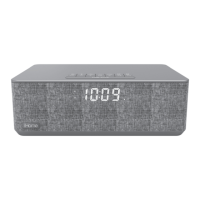
Table
of Contents
iBN97
Meet
Your
iBN97 .......................................................................................................... l-3
The
Display/Setting
Up
the
Unit
.......................................................................................... 4
Setting
the
Clock/
FM
Radio
.............................................................................................. 5
Setting
and
Using
FM
Presets
.............................................................................................. 6
Setting
and
Using
the
Alarm
............................................................................................
7-8
Previewing
and
Turning
Alarm
Off/Setting Gentle Woke
Timer
................................................ 8
Snooze/Dimmer
Button/Sleep
and
Nap
Modes .................................................................. 9
Using
Bluetooth:
Pairing
&
Playing
Your
Device
Using
NFC .................................................... l
0
Pairing
Your
Device
Using
Standard
Bluetooth
.......................................................................
11
Playing
Audio
Via
Bluetooth/Using
the
Speakerphone
...........................................................
12
Playing
Audio
Via
Aux-in/Charging
Devices
via
USB
Port
.....................................................
13
Using
FM
Radio
in
Other
Countries
.................................................................................... 14
Replacing
and
Installing
Clock
Backup
Battery
....................................................................
15
Troubleshooting
.............................................................................................................. 16
Consumer
Product
Safety
Guide ................................................................................... 1
7-1
8
Warranty ...................................................................................................................... 1 9


 To Next Page