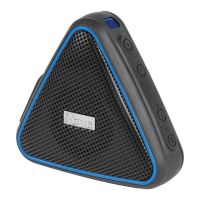
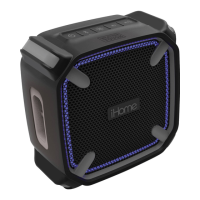
iBT36
Using the
Charging the iBT36
For first time use, make sure to fully charge the internal
battery for about 8 hours.
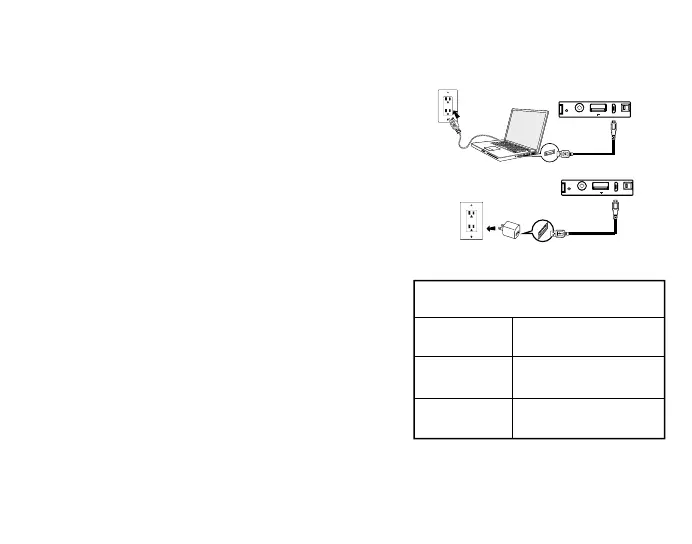
To charge the unit, connect the included USB charging cable
to the USB power in port located on the side of the unit under
the waterproof cover and connect the other end to a
powered USB port such as on a computer or a USB adaptor
connected to a working wall outlet. While charging, the
Battery Charge Indicator light on the front of the unit will
glow solid red or flash green (see chart). Once fully
charged the light will glow solid green.
Quick Battery Status Check
While operating on the internal battery, when the unit is ON
press any button for a quick check of the battery charge
status.
ECO Battery Mode
ECO Battery Mode allows for extended battery life when
playing unit for up to 11 hours without charging. In ECO
mode, the volume level decreases slightly as the battery
discharges. Set Eco Battery Mode Switch to On for Eco
Mode. Set to Off for normal listening.
The switch position has no effect on the battery charging.
iHome iBT36 USB Power In port
Computer
connected to
working outlet
USB AC adaptor
(not included)
USB AC adaptor
connected to working outlet
Quick Battery Charge Status Indicator
Solid Red
Solid Green
Battery needs charging
(battery level below 50%)
(battery level 50% - 95%)
Partially charged
Unit is fully charged
Flashing Green
AUX-IN
USB DC 5V, 1A
ON
OFF
ECO
RESET
P
O
W
E
R
I
N
AUX-IN
USB DC 5V, 1A
ON
OFF
ECO
RESET
P
O
W
E
R
I
N
3


 To Next Page