Reviewing Battery Charge Level
(Portable/Battery Mode: Charger is Disconnected and unit is
ON)
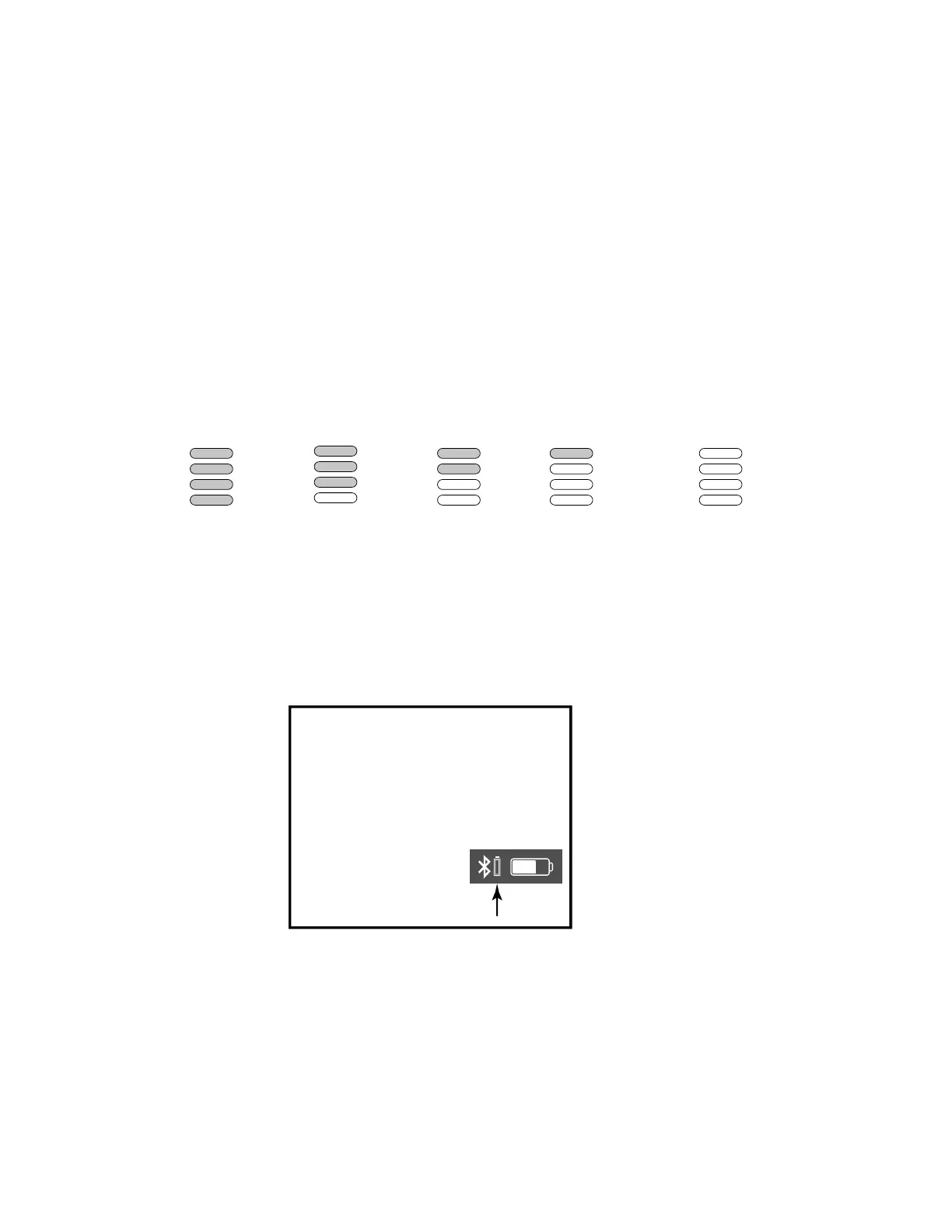
When unit is ON but not charging (operating on battery, micro USB
cable not connected) you can review the current battery status on the
Battery Status Indicator Lights (four white LEDs on front of the unit
above the iHome badge) any time a button is pressed.
6
TIP: On some iOS (Apple)
devices, you can view the
iBT520 battery status on your
device’s screen. When device is
paired and connected, look for a
vertical battery icon next to the
Bluetooth icon on the upper
right corner of the
device’s screen.
iBT520
Battery
dead
(no charge)
Battery
low
(needs
charging)
Battery
half
charged
Battery
good
mostly
charged
Battery
fully
charged
Battery Indication During Charging
While the battery is charging, the Battery Status Indicator Lights
will flash in a continuous cycle showing progressively fuller battery.
The LEDs will stop flashing once the battery is fully charged.



 To Next Page