Playing Audio via Aux In
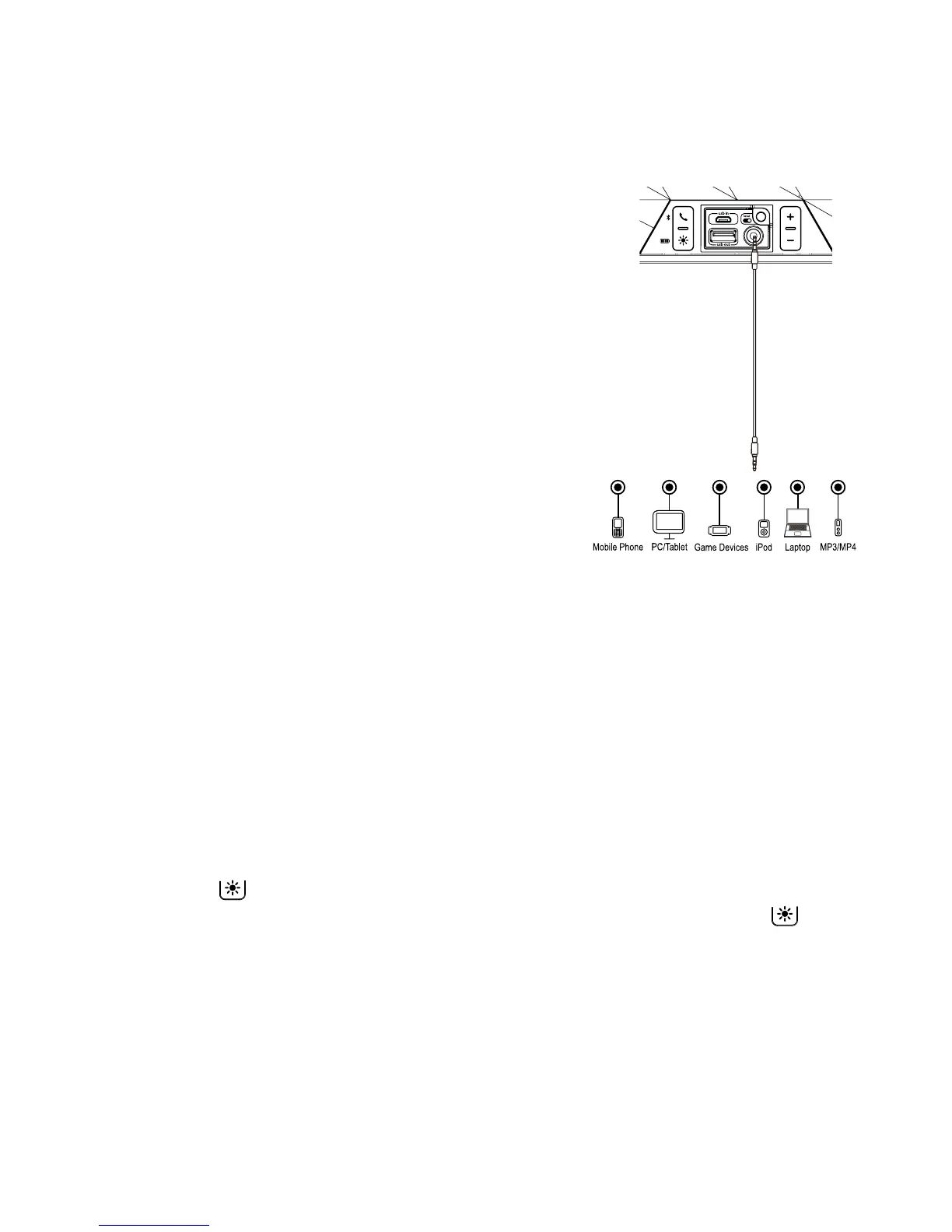
1. Connect micro USB charging/audio cable to the
Charging/Aux-in USB Port on the side of the
unit and connect the 3.5mm audio plug end to
the headphone or line-out jack on your audio
device.
2. Press and hold the Power On/O Button for 2
seconds to turn the unit ON.
3. Power on the audio device and use the controls
on the device to play or pause audio and to
navigate tracks.
4. Press the – or + Button to adjust the system
volume. You can also adjust volume on your
device.
5. When done listening, slide the Power On/O
Switch to OFF turn the unit OFF. Remember to
turn o your device, too.
Using Color Modes
There are six color modes, which you cycle through in this order:
a. Slow Fade (colors slowly fade from one into the next
b. Fast Change (colors change rapidly)
c. One Color (select a favorite color)
d. Pulse to Music (lights flash to the beat of the music)
e. Preset Pulsing (each light array pulses through its own preset pattern of colors)
f. O (no display)
1. Press and hold the Power On/O Button for 2 seconds to turn the unit ON.
2. Press the Color Mode Button repeatedly to cycle to the desired color mode.
For One Color mode, first cycle to Fast Change mode and press the Color
Mode Button when the desired color appears. For Pulse to Music, make sure the
volume on your connected Bluetooth device is above 50%.
3. When done, slide the Power On/O Switch to OFF turn the unit OFF.
8
Using the iBT84



 To Next Page