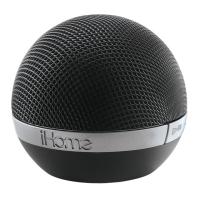
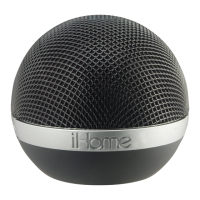
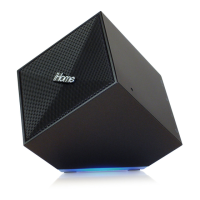
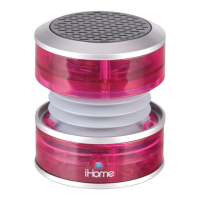
The iHome iDM8N is a portable rechargeable Bluetooth speaker designed to provide high-quality wireless sound for various audio devices, including iPads, iPhones, iPods, computers, and PDAs. It features a compact and spherical design, making it easy to carry and use on the go. The unit incorporates SRS TruBass technology, which significantly enhances audio playback by delivering a dynamic 3D entertainment experience with deep, rich bass and clear high frequencies.
Function Description:
The iDM8N serves as a versatile audio output device, supporting both wireless Bluetooth streaming and wired auxiliary input. It allows users to play music and other audio content from their compatible devices with ease. The speaker is equipped with an internal rechargeable lithium-ion battery, providing portability and extended use without constant connection to a power source.
Important Technical Specifications:
- Dimensions: 153mm x 120mm
- Connectivity: Bluetooth, Aux-in (3.5mm audio jack)
- Power Source: Internal rechargeable lithium-ion battery
- Charging: Micro USB port
- Audio Enhancement: SRS TruBass technology
- FCC ID: EMOIDM8N
- IC: 986B-IDM8N
- QDID: B018834
Usage Features:
Controls and Indicators:
The iDM8N features intuitive controls and indicators for easy operation:
- Power Button: Turns the unit on/off.
- Play/Pause/Pairing Button: Controls audio playback (play/pause) in Bluetooth mode and initiates Bluetooth pairing.
- Volume Up Button: Increases audio volume.
- Volume Down Button: Decreases audio volume.
- Power/Charging/Pairing Indicator Light: Displays the unit's status:
- Flashes green while charging.
- Glows steadily green when fully charged.
- Flashes amber during Bluetooth pairing attempts.
- Glows steadily amber when paired with a device.
- Turns green after successful pairing.
- Flashes green when the battery needs charging (when not connected to power).
- Lock/Aux/Bluetooth Switch: A three-position switch located on the bottom of the unit:
- Lock (left position): Disables all functions to save battery life and prevent accidental activation during transit.
- Aux (center position): Enables wired audio input via the 3.5mm audio cable.
- Bluetooth (right position): Enables wireless audio streaming via Bluetooth.
- Micro USB Charging Port: Used for charging the unit and for wired auxiliary audio input.
Bluetooth Pairing and Playback:
- Switch to Bluetooth Mode: Move the Lock/Aux/Bluetooth Switch to the Bluetooth position (right).
- Enable Bluetooth on Device: Turn on Bluetooth on your audio device and make it discoverable.
- Power On and Auto-Pairing: Press and hold the Power Button on the iDM8. The amber light will flash, and the unit will beep twice, indicating an auto-pairing attempt.
- Initiate Pairing: Press and hold the Play/Pause/Pairing Button. The amber light will flash as the unit attempts to pair.
- Connect to Device: On your device, select "iDM8N" from the list of available Bluetooth devices. If prompted for a password, enter "1234".
- Confirmation: Once paired, the amber light will glow steadily, then turn green. Your device should indicate successful pairing. You may need to select "Use as Audio Device (stereo)" or similar in your device's Bluetooth menu.
- Playback: Press the Play/Pause/Pairing Button to play or pause audio. Adjust volume using the Volume +/- Buttons on the iDM8N or your device.
- Power Off: Press the Power Button to turn off the unit when done listening.
Auxiliary Audio Playback:
- Switch to Aux Mode: Move the Lock/Aux/Bluetooth Switch to the Aux position (center).
- Connect Audio Cable: Connect the micro USB plug to the micro USB charging port on the back of the unit and the 3.5mm audio plug to the headphone or line-out jack of your audio device.
- Power On Audio Device: Turn on your audio device and put it in play mode.
- Power On iDM8N: Press and hold the Power Button on the iDM8N until the green light appears.
- Adjust Volume: Use the Volume +/- Buttons on the iDM8N to adjust volume. You may also adjust the volume on your audio device.
- Power Off: Press the Power Button to turn off the iDM8N when done listening. Remember to turn off your audio device as well.
Charging the Unit:
- Connect the micro USB plug of the included cable to the micro USB charging port on the back of the unit.
- Connect the standard USB plug end of the cable to a power USB port on a computer or other USB charging device.
- For first-time use, charge the unit for approximately 8 hours.
- The green indicator light flashes while charging and glows steadily when fully charged. If the unit is off during charging, the green light will flash once to indicate charging.
- When the unit is on and not connected to a power source, a flashing green light indicates that the battery needs charging.
Travel Lock:
The Lock position (left) on the Lock/Aux/Bluetooth Switch disables all functions, saving battery life and preventing accidental button activation during travel.
Resetting the Unit:
If the unit malfunctions or "freezes," move the Lock/Aux/Bluetooth Switch to the Bluetooth position (right), then press and hold the Play/Pause/Pairing Button and the Volume - Button simultaneously for about 8 seconds until a long beep sounds. This restores the unit to default settings, requiring re-pairing of Bluetooth devices.
Maintenance Features:
- Placement: Place the unit on a level surface, away from direct sunlight or excessive heat.
- Furniture Protection: When placing the unit on natural wood or lacquered finishes, use a cloth or other protective material underneath to prevent damage.
- Cleaning: Clean the unit with a soft cloth moistened only with mild soap and water. Avoid using strong cleaning agents like benzene, thinner, or similar materials, as they can damage the surface.
- Battery Care: The internal rechargeable lithium-ion battery is designed to last the device's lifetime. If the battery appears dead, try charging it multiple times. If it still doesn't recharge, contact customer service for repair information.
- Battery Safety:
- Do NOT attempt to change the battery yourself.
- Dispose of used batteries/electronics according to prevailing community regulations for toxic substances. Many retailers offer free recycling.
- Never use or charge the battery if it appears leaking, discolored, deformed, or abnormal.
- Never disassemble the unit or attempt to remove the battery, as this could cause leakage of alkaline solution or other electrolytic substances.
- Ensure the charging temperature is between 5°C - 35°C (41°F - 95°F).
- Never expose the battery to any liquid, excessive heat (direct sunlight, fire), or unventilated vehicles with high internal temperatures.
- Keep the battery out of reach of infants and small children.
Consumer Product Safety Guide:
- Water and Moisture: Do not use near water (bathtub, washbowl, kitchen sink, laundry tub, swimming pool, wet basement).
- Ventilation: Ensure proper ventilation; do not block openings or place in enclosed spaces like beds, sofas, rugs, bookcases, or cabinets.
- Heat: Keep away from heat sources (radiators, heat registers, stoves, amplifiers).
- Power Sources: Connect only to the specified power supply type.
- Power-Cable Protection: Route cables to prevent walking on or pinching. Maintain a clear area from the unit to the AC socket.
- Objects and Liquid Entry: Prevent objects from falling into or liquids from spilling into openings/vents.
- Attachments: Use only manufacturer-recommended attachments.
- Lightning and Power Surge Protection: Unplug during lightning storms or extended non-use.
- Overloading: Do not overload wall sockets, extension cords, or receptacles to avoid fire/electric shock.
- Damage Requiring Service: Service by qualified personnel is needed if the power cable/plug is damaged, objects/liquid enter the enclosure, unit is exposed to rain, dropped, or shows marked performance change.
- Periods of Nonuse: Unplug the power cable if unused for a month or longer to prevent damage/corrosion.
- Servicing: Do not attempt user servicing beyond described instructions; refer to qualified personnel.

 Need help?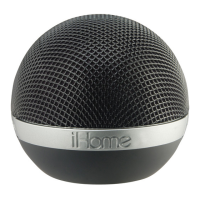

 To Next Page
 General