2
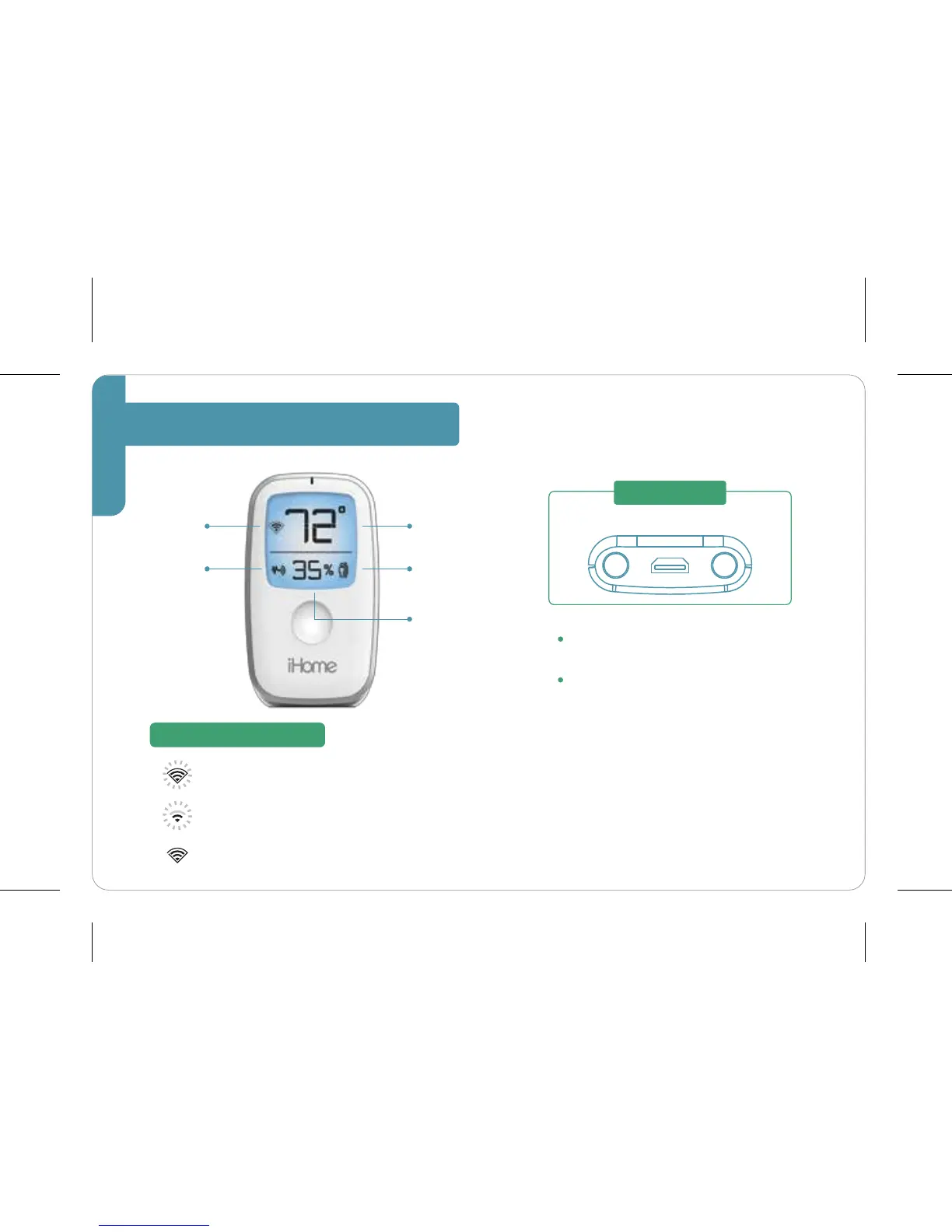
SmartMonitor Overview
Flashing: SmartMonitor is ready
for setup
Flashing: SmartMonitor is searching
for a Wi-Fi network
Solid with Border: SmartMonitor is connected
Motion
Indicator
Wi-Fi Status Indicator
dimmer power in reset
To dim the LCD screen, tap the
DIMMER button.
To reset the SmartMonitor, press
and hold the SETUP button for a
full 15 seconds.
(Use the iHome Control app to
reconfigure
network settings)
Wi-Fi
Status
Sound
Indicator
Humidity
Temperature
BACK OF UNIT
2



 To Next Page