Need help?
Do you have a question about the iHome MAGNIFY and is the answer not in the manual?
Connect the included AC adapter to the DC jack on the mirror and to a working wall outlet.
Press the light button to cycle through ON, Hi, Mid, Lo, and OFF for optimal light brightness.
Turn on speaker, initiate pairing mode, and connect your device by selecting "iHome MAGNIFY".
Manage playback, calls, volume, and activate voice assistants using designated buttons.
Connect AC adapter to the mirror and a USB cable to the unit and your device for charging capabilities.
Follow instructions, clean mirror surface with a dry cloth, and use only manufacturer-specified attachments.
Details exclusions, limitations, and conditions for warranty validity in the United States.
 General
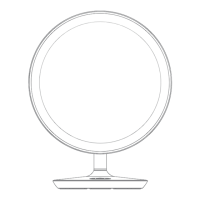
| Shape | Round |
|---|---|
| Magnification | 5x |
| Power Source | Electric |
| Mounting Type | Table |
| Material | Metal |

 To Next Page