iBT400 - Instruction Sheet - English
Color: Black text on white paper (1C + 1C)
Size: 102 W x 150 H mm
Material: 85gsm wood free paper
December 19, 2019
CHARGING THE SPEAKER
OVERVIEW
iBT400_FCC_121919-A
Printed in China
© 2020 SDI Technologies, Inc.
All rights reserved
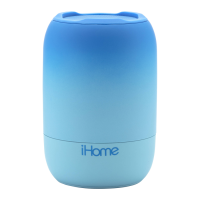
Portable Bluetooth Speaker
For questions, full instructions, warranty, and additional
safety information, please scan the QR code or visit:
www.ihome.com/help/iBT400
FCC Information
This equipment should be installed and operated with minimum distance 20cm between the radiator & your body.
This equipment complies with FCC RF radiation exposure limits set forth for an uncontrolled environment.
This device complies with Part 15 of the FCC Rules, operation is subject to the following two conditions:
(1) This device may not cause harmful interference, and (2) this device must accept any interference received, including interference that may cause
undesired operation.
• Warning: Changes or modifications to this unit not expressly approved by the party responsible for compliance could void the user’s authority to
operate the equipment.
• NOTE: This equipment has been tested and found to comply with the limits for a Class B digital device, pursuant to Part 15 of the FCC Rules.
These limits are designed to provide reasonable protection against harmful interference in a residential installation. This equipment generates, uses and
can radiate radio frequency energy and, if not installed and used in accordance with the instructions, may cause harmful interference to radio
communications.
However, there is no guarantee that interference will not occur in a particular installation. If this equipment does cause harmful interference to radio or
television reception, which can be determined by turning the equipment o and on, the user is encouraged to try to correct the interference by one
or more of the following measures:
• Reorient or relocate the receiving antenna.
• Increase the separation between the equipment and receiver.
• Connect the equipment into an outlet on a circuit dierent from that to which the receiver is connected.
• Consult the dealer or an experienced radio/TV technician for help.
CAN ICES-3 (B) / NMB-3(B), CAN RSS216 / CNR-216
IC Statement
This equipment complies with IC RSS-102 radiation exposure limits set forth for an uncontrolled environment.
This device contains licence-exempt transmitter(s)/receiver(s) that comply with Innovation, Science and Economic Development Canada’s
licence-exempt RSS(s). Operation is subject to the following two conditions:
(1) This device may not cause interference.
(2) This device must accept any interference, including interference that may cause undesired operation of the device.
The device meets the exemption from the routine evaluation limits in section 2.5 of RSS 102 and compliance with RSS-102 RF exposure, users can obtain
Canadian information on RF exposure and compliance.
This equipment should be installed and operated with a minimum distance of 20 cm between the radiator and your body.
Cet équipement est conforme aux limites d'exposition aux radiations IC CNR-102 établies pour un environnement non contrôlé.
L’émetteur/récepteur exempt de licence contenu dans le présent appareil est conforme aux CNR d’Innovation, Sciences et Développement
économique Canada applicables aux appareils radio exempts de licence. L’exploitation est autorisée aux deux conditions suivantes :
(1) L’appareil ne doit pas produire de brouillage;
(2) L’appareil doit accepter tout brouillage radioélectrique subi, même si le brouillage est susceptible d’en compromettre le fonctionnement.
Le dispositif rencontre l'exemption des limites courantes d'évaluation dans la section 2.5 de RSS 102 et la conformité à l'exposition de RSS-102 rf,
utilisateurs peut obtenir l'information canadienne sur l'exposition et la conformité de rf.
Cet équipement doit être installé et utilisé avec une distance minimale de 20 cm entre le radiateur et votre corps.
IMPORTANT SAFETY INSTRUCTIONS
This device uses an internal non-replaceable rechargeable lithium-ion battery that should last the lifetime of the device. If you
suspect your battery may be dead, try charging it for an extended period of time and try resetting the unit.
WARNING/DISPOSAL OF UNIT
Do NOT attempt to change the battery. Doing so will void the warranty and could cause injury and damage to your device. To
dispose of the unit, follow the instructions below:
• Never dispose of used batteries/electronics with ordinary solid wastes, since they contain toxic substances.
• Always dispose of used batteries/electronics in accordance with the prevailing community regulations.
• Many electronics retailers now recycle batteries and other electronic components at no charge
GENERAL BATTERY PRECAUTIONS
• Never use or charge a battery if it appears to be leaking, discolored, deformed, or in any way abnormal.
• Never disassemble the unit or attempt to remove battery as that could cause leakage of alkaline solution or other electrolytic
substances.
• Avoid charging a rechargeable battery when the temperature is not within 5°C - 35° C (41° - 95° Fahrenheit).
• Never expose a battery to any liquid.
• Never expose a battery to excessive heat such as direct sunlight or fire. Never use a battery pack in an unventilated
vehicle where excessive internal temperatures may be encountered.
• Always keep batteries out of the reach of infants and small children.
FCC ID:
C:
PLAY/PAUSE
BLUETOOTH PAIRING
VOLUME UP
VOLUME DOWN
POWER ON/OFF
-Press & hold to turn speaker ON/OFF
-Press to increase volume
-Press to decrease volume
-Press & hold to enter pairing mode
-Select ‘iHome iBT400’ on your device to connect
-Press to play/pause audio
USB AC
adaptor
(not included)
USB charging
cable (included)
REAR CONTROLS
CHARGE UNIT
BEFORE USE
ABOUT 2 HOURS
Make sure the splashproof cover on the back of the unit is completely flush with the unit by
pressing along the entire edge of the cover until it is completely and securely in place.
reset
USB CHARGING PORT
RESET BUTTON
Insert the tip of a paper clip
or other thin tool to reset
SPLASHPROOF COVER
BC
Model: iBT400
BLUETOOTH STATUS LED
-Flashes while in pairing mode
-Solid when connected
CHARGING STATUS LED
charging (slow flash)
fully charged
low battery (fast flash)
RED
OFF
RED
PLAYFADE

 Need help?







 To Next Page
 General