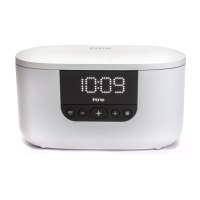
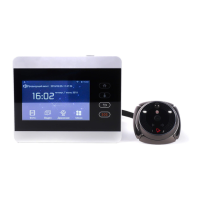
SETTING THE TIME
1. Press and hold the Time Set Button located on the back of the unit
for 2 seconds until the clock display flashes and a beep sounds.
2. Pr
ess the – or + Buttons to adjust the clock to the curr
ent time (hold
f
or rapid setting). Make sure you set the correct AM/PM time. T
he PM
indicat
or appears to the left of the display; there is no AM indicator
.
3.
To toggle the clock display between standard 12 hour time and 24
hour
(“military”) time displa
y, press the Alarm or Alarm Button while
the display is flashing during time setting.
4.
Press and release the Time Set Button to confirm the current time
setting. The YEAR will flash on the display. Press the – or + Buttons
to set the correct year.
5.
Press and release the Time Set Button to confirm the current year
setting. The Date will flash on the display. Press the – or + Buttons to
set the correct month and day(hold for rapid adjustment).
6.
Press and release the Time Set Button to confirm the current date
setting. 2 beeps will sound to indicate time setting mode is complete.
DAYLIGHT SAVINGS (DST) SWITCH
This unit has a DST switch on the back of the unit to adjust the time for
daylight saving time and standard time. By default, it is set to Auto and
will automatically adjust the time at the start and end of daylight saving
time.
If you wish to adjust manually, slide the switch to +1 to add one hour
or to –1 to subtract an hour.
SETTING AND USING ALARMS
This unit features dual alarms which can be set to dierent times and alarm
sources. Each is set in the same way. Instructions are given as “Alarm
Button”; use Alarm 1 Button or Alarm 2 Button to set respective alarms.
0QVG: Each step must be completed while displa
y is flashing or setting will
time-out with an
y changes saved.
1. Press and hold the Alarm Button for 2 seconds until the alarm time display
and alarm ic
on flash. A beep sounds.
2. Pr
ess the – or + Buttons to adjust the alarm time to the desir
ed time (hold
for rapid setting).
Make sure you set the correct AM/PM alarm time. The PM
indicat
or appears to the left of the display.
(continued on next page...)


 To Next Page