EasyManua.ls Logo

Iiyama ProLite XU2290HS - User Manual

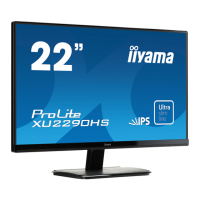
Iiyama ProLite XU2290HS
41 pages
Print Icon
To Next Page IconTo Next Page
Loading...
ENGLISH
USER MANUAL
Thank you very much for choosing the
iiyama LCD monitor.
We recommend that you take a few
minutes to read carefully through
this brief but comprehensive manual
before installing and switching on the
monitor. Please keep this manual in a
safe place for your future reference.
Question and Answer IconNeed help?

Do you have a question about the Iiyama ProLite XU2290HS and is the answer not in the manual?

Summary

FOR YOUR SAFETY

SAFETY PRECAUTIONS

Critical warnings regarding monitor operation, electrical safety, and physical handling.

MONITOR USAGE AND HANDLING CAUTIONS

CAUTIONARY ADVISORIES

Advisories on installation, ventilation, cable management, wet hands, and usage conditions.

CONTROLS AND CONNECTORS

MODEL XU2290 HS; XU2390 HS LAYOUT

Identifies controls and connectors on the front and back of these monitor models.

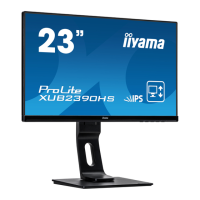
MODEL XUB2390 HS LAYOUT

Identifies controls and connectors on the front and back of this monitor model.

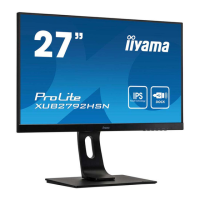
MODEL XUB2790 HS LAYOUT

Identifies controls and connectors on the front and back of this monitor model.

CONNECTING YOUR MONITOR

MODEL XU2290 HS; XU2390 HS CONNECTION

Step-by-step guide for connecting these monitor models to a computer and audio equipment.

MODEL XUB2390 HS CONNECTION

Step-by-step guide for connecting this monitor model to a computer and audio equipment.

MODEL XUB2790 HS CONNECTION

Step-by-step guide for connecting this monitor model to a computer and audio equipment.

OPERATING THE MONITOR

OSD MENU NAVIGATION AND ADJUSTMENT

Step-by-step guide for navigating the On-Screen Display (OSD) menu for adjustments.

ADJUSTMENT MENU CONTENTS

COLOR SETTINGS ADJUSTMENTS

SCREEN ADJUSTMENTS

OPTIMUM RESOLUTION AND TEST PATTERN

Guide to using test patterns for optimal picture adjustment.

SCREEN ADJUSTMENT PROCEDURES

POWER MANAGEMENT FEATURE

ENERGY SAVING MODES AND OPERATION

Explanation of power saving features, VESA DPMS, and power indicator status.

TROUBLE SHOOTING

PICTURE DISPLAY AND SYNCHRONIZATION ISSUES

Solutions for problems like no picture, incorrect synchronization, and position errors.

APPENDIX: SPECIFICATIONS

SPECIFICATIONS FOR PROLITE XU2290 HS

Detailed technical specifications for the ProLite XU2290HS model.

SPECIFICATIONS FOR PROLITE XUB2390 HS

Detailed technical specifications for the ProLite XUB2390HS model.

SPECIFICATIONS FOR PROLITE XU2390 HS

Detailed technical specifications for the ProLite XU2390HS model.

SPECIFICATIONS FOR PROLITE XUB2790 HS

Detailed technical specifications for the ProLite XUB2790HS model.

DIMENSIONS AND COMPLIANT TIMING

Summary

FOR YOUR SAFETY

SAFETY PRECAUTIONS

Critical warnings regarding monitor operation, electrical safety, and physical handling.

MONITOR USAGE AND HANDLING CAUTIONS

CAUTIONARY ADVISORIES

Advisories on installation, ventilation, cable management, wet hands, and usage conditions.

CONTROLS AND CONNECTORS

MODEL XU2290 HS; XU2390 HS LAYOUT

Identifies controls and connectors on the front and back of these monitor models.

MODEL XUB2390 HS LAYOUT

Identifies controls and connectors on the front and back of this monitor model.

MODEL XUB2790 HS LAYOUT

Identifies controls and connectors on the front and back of this monitor model.

CONNECTING YOUR MONITOR

MODEL XU2290 HS; XU2390 HS CONNECTION

Step-by-step guide for connecting these monitor models to a computer and audio equipment.

MODEL XUB2390 HS CONNECTION

Step-by-step guide for connecting this monitor model to a computer and audio equipment.

MODEL XUB2790 HS CONNECTION

Step-by-step guide for connecting this monitor model to a computer and audio equipment.

OPERATING THE MONITOR

OSD MENU NAVIGATION AND ADJUSTMENT

Step-by-step guide for navigating the On-Screen Display (OSD) menu for adjustments.

ADJUSTMENT MENU CONTENTS

COLOR SETTINGS ADJUSTMENTS

SCREEN ADJUSTMENTS

OPTIMUM RESOLUTION AND TEST PATTERN

Guide to using test patterns for optimal picture adjustment.

SCREEN ADJUSTMENT PROCEDURES

POWER MANAGEMENT FEATURE

ENERGY SAVING MODES AND OPERATION

Explanation of power saving features, VESA DPMS, and power indicator status.

TROUBLE SHOOTING

PICTURE DISPLAY AND SYNCHRONIZATION ISSUES

Solutions for problems like no picture, incorrect synchronization, and position errors.

APPENDIX: SPECIFICATIONS

SPECIFICATIONS FOR PROLITE XU2290 HS

Detailed technical specifications for the ProLite XU2290HS model.

SPECIFICATIONS FOR PROLITE XUB2390 HS

Detailed technical specifications for the ProLite XUB2390HS model.

SPECIFICATIONS FOR PROLITE XU2390 HS

Detailed technical specifications for the ProLite XU2390HS model.

SPECIFICATIONS FOR PROLITE XUB2790 HS

Detailed technical specifications for the ProLite XUB2790HS model.

DIMENSIONS AND COMPLIANT TIMING

Iiyama ProLite XU2290HS Specifications

General IconGeneral
Panel TypeIPS
Resolution1920 x 1080
Brightness250 cd/m²
Contrast Ratio1000:1
Response Time5 ms
Aspect Ratio16:9
Refresh Rate60 Hz
Dynamic Contrast Ratio5, 000, 000:1
VESA Mount100 x 100 mm
Screen Size21.5 inches
ConnectivityHDMI, DVI, VGA
Power Consumption18 W (typical), 0.5 W (standby)
Viewing Angles178°/178°

Related product manuals